
You open your laptop with a clear goal. Fifteen minutes later, you’ve handled a calendar invite, a Slack ping, and a last‑minute request. By mid‑afternoon, your priority task is still sitting untouched.
The issue isn’t your drive. It’s that your time is being pulled in every direction.
Research shows that up to 60 percent of working hours are lost to low-value tasks and interruptions, which limits meaningful productivity.
When everything feels urgent, you lose clarity on what’s important.
That’s why a system for sorting your time matters. The Time Management Matrix offers a simple framework to help you filter out noise and focus on work that moves the needle.
Throughout this post, you’ll learn how the four quadrants map to real‑world tasks, how to spot where you currently spend your time, and how to protect the hours that actually matter.
Key Takeaways
Urgent tasks often pull attention away from meaningful work
The most valuable tasks are usually quiet and easy to postpone
Quadrant 2 is the space for long-term progress and should be protected
Constant reaction leads to busy days without real results
Clear planning creates focus and reduces unnecessary pressure
What Is the Time Management Matrix?
When your to-do list is packed and every app is fighting for your attention, it’s easy to confuse urgency with importance. That’s where the Time Management Matrix comes in, not as another productivity hack, but as a mental filter for better decision-making.
The matrix is built around two simple questions:
Does this task need to happen now?
Does this task actually matter?
These questions sort your work into four quadrants:
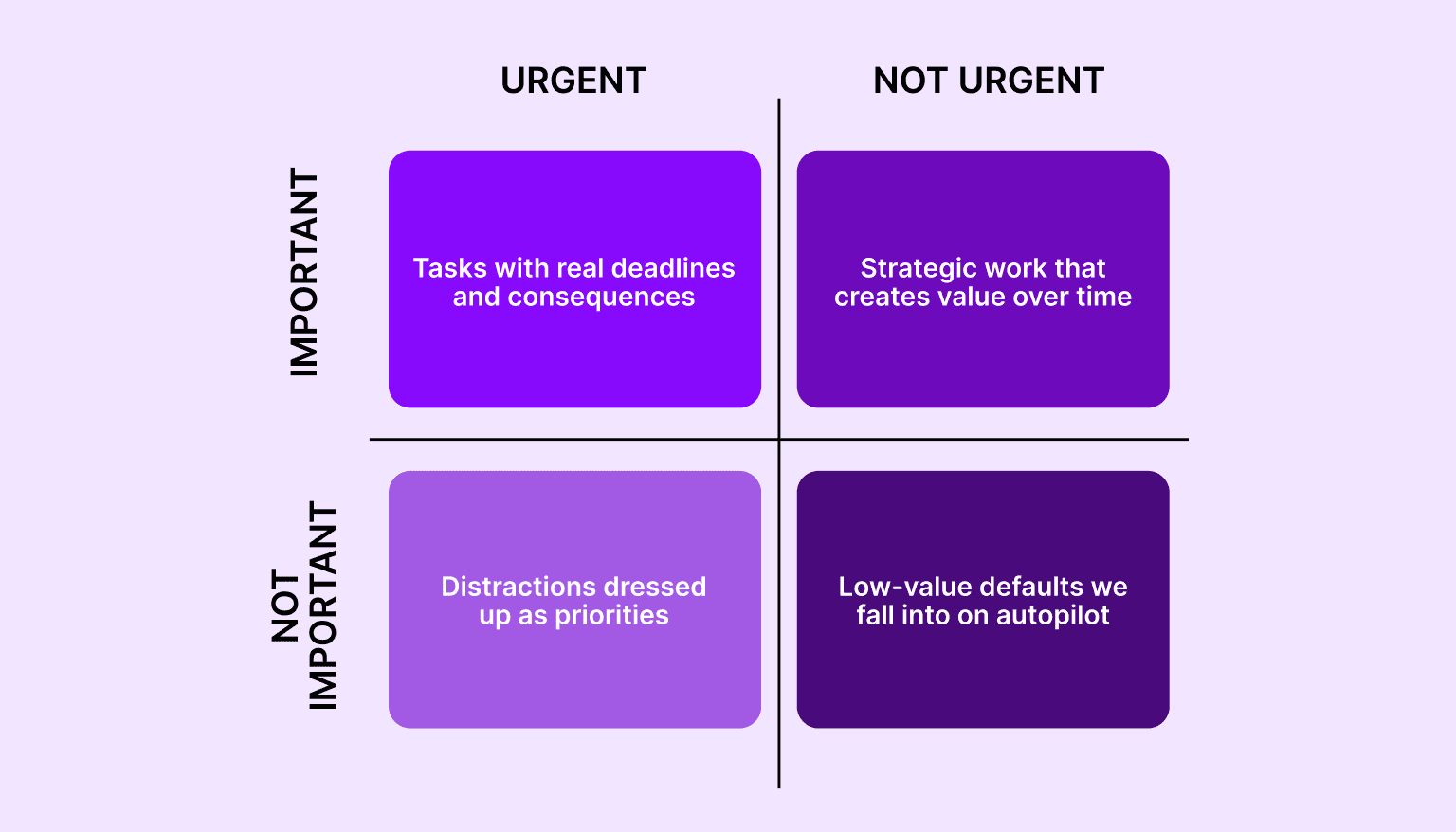
Quadrant 1: Urgent and Important - tasks with real deadlines and consequences
Quadrant 2: Not Urgent but Important - strategic work that creates value over time
Quadrant 3: Urgent but Not Important - distractions dressed up as priorities
Quadrant 4: Not Urgent and Not Important - low-value defaults we fall into on autopilot
The model became widely known through The 7 Habits of Highly Effective People by Stephen Covey, though it was based on a quote from President Eisenhower. It’s used by high performers across industries to stop reacting and start planning with intent.
In practice, the matrix isn’t about labeling every task. It’s about recognizing which type of work gets your attention and which type deserves it.
If your day feels full but unproductive, this is the reset button.
Eisenhower vs. Covey: What’s the Difference?
Both Eisenhower and Covey used the same matrix format, but for different goals.
Eisenhower focused on action. His version helps you decide quickly: handle it, hand it off, schedule it, or ignore it. It’s a triage method for busy, high-pressure environments. Perfect for making fast calls when your inbox is on fire.
Covey shifted the purpose. He wasn’t just concerned with decisions, but with habits. His version encourages you to spend more time on work that’s important but rarely urgent — deep thinking, planning, learning, and building. The things that never scream for your attention but quietly drive results.
That’s the key distinction:
Eisenhower helps you sort.
Covey helps you shape how you spend your time long term.
If you’re trying to get through a chaotic day, Eisenhower’s approach helps. If you want to build a better week, month, or year, Covey’s mindset keeps you grounded.
Modern professionals need both. The matrix shows you the categories, but it’s Covey’s version that helps you make meaningful time for what matters.
Suggested read: The 4-Tier Task Prioritization Method for Smarter Workdays
Breaking Down the Four Quadrants
Each quadrant in the time management matrix represents a different type of task. How much time you spend in each one shapes your productivity, stress levels, and ability to focus.
Let’s take a closer look.
Quadrant 1: Urgent and Important
These are high-stakes tasks that need immediate attention. They often come with pressure and consequences if ignored.
Examples:
Fixing a critical bug before a launch
Responding to a client emergency
Handling a project deadline that’s due today
The risk: Spending too much time in this quadrant leads to constant stress and burnout.
Tip: Plan ahead to reduce last-minute pressure. Tools like Akiflow help you spot these early and schedule time to handle them before they escalate.
Quadrant 2: Not Urgent but Important

This is where meaningful work lives. These tasks support your long-term goals and success but rarely demand immediate attention.
Examples:
Strategic planning
Deep work
Skill development
Relationship building
The risk: These tasks get skipped when your day is packed with urgent requests.
Tip: Block time on your calendar for this kind of work. With Akiflow, you can protect these hours by turning important tasks into time-blocked sessions.
Quadrant 3: Urgent but Not Important

These tasks feel time-sensitive but don’t contribute much to your goals. They often come from other people’s priorities.
Examples:
Non-essential meetings
Replying to messages that don’t require your input
Quick requests that interrupt your workflow
The risk: They pull your focus away from the work that matters.
Tip: Batch, delegate, or politely decline. Akiflow helps you quickly review and sort incoming tasks so you’re not reacting to every notification.
Quadrant 4: Not Urgent and Not Important

This is the distraction zone. These tasks offer little to no value and often happen without intention.
Examples:
Mindless scrolling
Checking your inbox repeatedly
Busywork with no real outcome
The risk: These tasks eat up time and drain your mental energy.
Tip: Use intentional breaks instead. Akiflow lets you schedule real downtime so you rest with purpose instead of drifting into unproductive habits.
Must Read: Why is it Important to Prioritize Work Tasks? - Akiflow
Why Most People Get Trapped in Quadrants 1 and 3
You start the day with a plan, but by lunchtime, you’re buried in urgent messages, last-minute requests, and meetings you didn’t ask for. Sound familiar?
This is the pull of Quadrants 1 and 3. They take over because they feel immediate. The task is right in front of you, someone is waiting, and it seems easier to respond now and think later.
Here’s what happens:
Quadrant 1 keeps you in survival mode
Quadrant 3 keeps you busy without moving anything meaningful forward
It feels productive, but the cost is steep. You end the day exhausted, with your most important work still untouched.
Why this happens:
You’re reacting instead of planning
You don’t have visibility into what actually matters
You rely on urgency to shape your priorities
What helps:
A system that shows you all your tasks in one place
A clear view of what’s urgent and what’s not
A habit of blocking time for the work that matters before distractions hit
Akiflow supports this shift. It helps you spot the noise, take back control of your schedule, and stop letting urgency decide how you spend your day.
Must read: Time Management Tools and Techniques for Busy Professionals
How to Spend More Time in Quadrant 2
Quadrant 2 is where long-term results come from. It’s the space for focus, strategy, growth, and progress. But without a system, it’s the first thing to get pushed aside.
You don’t accidentally find time for deep work. You have to make it.
Here’s how to do that.
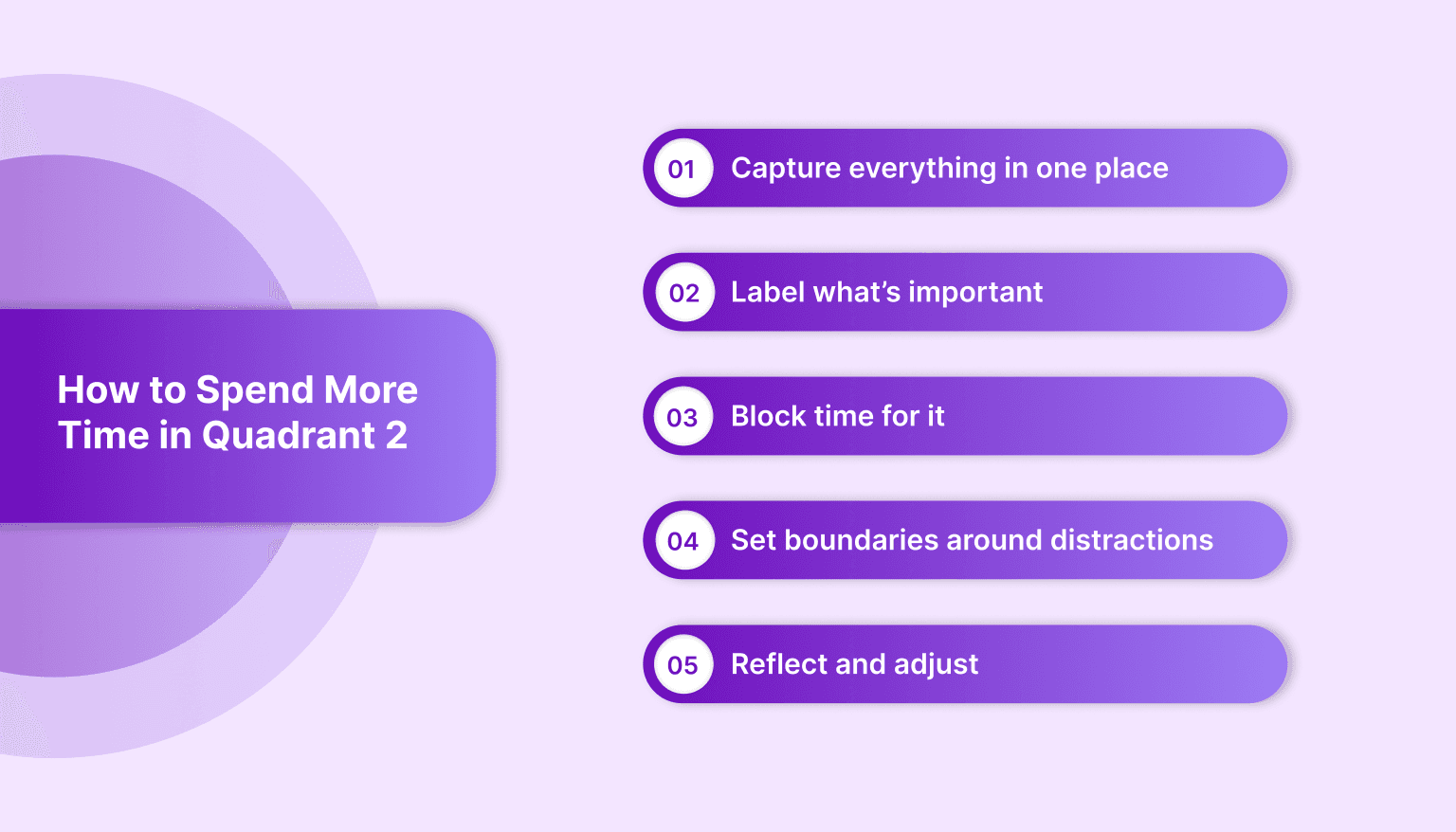
1. Capture everything in one place
Before you can prioritize, you need a full picture. Use a tool like Akiflow to pull in tasks from your email, Slack, calendar, and notes. This eliminates scattered to-do lists.
2. Label what’s important
Ask yourself: Is this urgent? Is this important? Anything that is important but not time-sensitive belongs in Quadrant 2.
3. Block time for it
Add it to your calendar. Treat it like a meeting. Morning focus blocks or no-meeting afternoons work well. Akiflow lets you drag tasks straight onto your schedule.
4. Set boundaries around distractions
Batch inbox time. Mute non-critical alerts. Review meeting invites carefully. Protect your focus like it’s billable.
5. Reflect and adjust
At the end of each week, check your calendar. Did you protect time for strategic work? What got in the way? Use that insight to plan better for next week.
Quadrant 2 work is where the most impact happens. It rarely feels urgent, but it always matters. Build your schedule around it, and the rest of your day gets easier to manage.
How Akiflow Helps You Apply the Time Management Matrix
Knowing your priorities is only half the challenge. The real struggle is turning them into a structured day while juggling tools, meetings, and interruptions.
That’s where Akiflow comes in. It’s not just a task manager. It’s your control center for turning Quadrant 2 focus into a daily habit.
Here’s how Akiflow supports each part of the matrix:
1. Centralizes everything, so nothing falls through the cracks
You can’t sort your tasks if they’re spread across ten tabs. Akiflow pulls tasks from:
Slack
Gmail
Notion
Google Calendar
Asana and other tools
Now you can see your inboxes, messages, and tasks in one place and quickly decide which quadrant each one belongs to.
2. Turns important work into time-blocked events
Quadrant 2 tasks get ignored when they don’t have a time slot. In Akiflow, you can drag any task straight onto your calendar. This turns planning into doing.
Examples:
Need to write a proposal? Block 90 minutes Tuesday morning.
Want to work on a course or personal project? Schedule it before your calendar fills up.
3. Protects focus time from interruptions
You can mute incoming tasks and notifications during focus blocks. Instead of bouncing between requests, you stay in control of your time.
With features like:
Do not disturb mode
Command bar to quickly reschedule without clicking around
Auto-snoozing tasks that aren’t time-sensitive
You stay focused without losing track of the small stuff.
4. Supports quick reviews to rebalance your time
Akiflow encourages weekly reviews. You can look back at what you actually did, reschedule dropped tasks, and reset your priorities for the week ahead.
This makes it easier to spot if you’ve spent too much time in Quadrants 1 or 3, and shift more energy into Quadrant 2.
Real-world examples:
A developer sees all Jira tickets and Slack tasks in one place, then blocks deep work sessions around them.
A founder plans out vision-setting work for the quarter before scheduling calls.
A freelancer sets up recurring planning blocks every Monday to stay focused on strategic goals.
The matrix gives you a method. Akiflow gives you the system to apply it consistently, without friction.
Suggested read: 10 Best Scheduling Time Management Methods for Getting Things Done
Final Thoughts
The real challenge of time management isn’t getting more done. It’s knowing what deserves your time in the first place.
The Time Management Matrix gives you a way to make that decision with clarity. It helps you spot what matters, what can wait, and what’s just noise.
But to use it well, you need more than awareness. You need structure. You need a system that helps you prioritize, plan, and actually follow through.
That’s where Akiflow fits in.
It brings your tasks and calendar together so you can work with purpose instead of reacting all day. It helps you protect space for important work and make better decisions about where your time goes.
You already know what matters. Now it’s time to make space for it.
Start using Akiflow to take control of your schedule and spend more time on the work that moves you forward.
FAQs
Q: What is the Time Management Matrix?
A: The Time Management Matrix is a four-quadrant tool that categorizes tasks based on urgency and importance. It helps professionals focus on meaningful work and reduce time spent on low-priority tasks.
Q: What is the difference between the Eisenhower Matrix and Covey Matrix?
A: The Eisenhower Matrix is decision-focused and built for quick prioritization. The Covey Matrix builds on it by encouraging intentional time investment in long-term, important work.
Q: Why is Quadrant 2 important?
A: Quadrant 2 includes strategic tasks that are important but not urgent, such as planning, development, and relationship-building. Prioritizing this quadrant leads to long-term growth and fewer emergencies.
Q: How can the time matrix be used daily?
A: Tasks can be sorted into the four quadrants to guide scheduling and focus. Time blocking Quadrant 2 tasks ensures consistent progress on meaningful goals.
Q: What is the 4-square time management grid?
A: Also known as the priority matrix or productivity quadrant, it’s a visual method to quickly assess and prioritize tasks. It simplifies decision-making and boosts daily efficiency.
Q: Who created the time management matrix?
A: The concept was first inspired by President Dwight D. Eisenhower and later popularized by Stephen Covey in The 7 Habits of Highly Effective People.


