
Summary
Put tasks, follow-ups, project steps, and recurring responsibilities in one capture system, then connect them to your calendar so work stops living as scattered intentions.
Set three to five weekly outcomes before your calendar fills, then turn them into real time blocks and keep daily anchors for planning, focus, and a clean handoff.
Protect deep work by batching admin, grouping meetings, and matching demanding tasks to peak energy hours, then use a short weekly review to reschedule what slipped.
Most professionals treat their calendars as passive records of meetings rather than as active plans for how they should use their time. Tasks sit in one app, follow-ups live in email, and priorities shift throughout the day. The result is not laziness or lack of effort. It is fragmentation.
Being organized at work is not about color-coded folders or perfectly categorized task lists. It is about clarity. You should know what matters today, when it will get done, and where everything lives. When tasks and time are connected, work becomes calmer and more deliberate.
This guide explains how to build a simple system for being organized at work. It focuses on execution, not theory. You will learn how to centralize tasks, set weekly priorities, protect focus time, and review your workload without adding complexity.
What Does “Being Organized at Work” Actually Mean?
Being organized at work does not mean being busy. It means:
Knowing your top priorities for the week.
Seeing what needs to happen today.
Having time reserved for important work.
Closing the day without loose ends piling up.
Disorganized workdays tend to look like this:
Reacting to messages as they arrive.
Jumping between tools to find information.
Starting tasks but rarely finishing them.
Feeling busy without clear progress.
Organized workdays feel different. There is structure. You still handle surprises, but you are not controlled by them. Important work has space on your calendar. Administrative tasks are grouped together. Meetings do not consume every available hour.
Organization is less about control and more about alignment. Your calendar reflects your priorities. Your task list reflects your commitments. Both work together.
Struggling to stay organized at work? Akiflow can help you centralize your tasks and keep your calendar in sync, so you can focus on what matters. Ready to build a clearer, more productive workday? Start using Akiflow today!
The Core Problem: Tasks Without Time
Many professionals rely on lists. Lists are useful, but they do not account for time.
Time is a finite resource. While a task list reflects your intentions, a calendar shows what is realistically possible. If ten important tasks are written down but only three hours are free, something will slip.
When tasks are not connected to time, three patterns emerge:
Important work is postponed because urgent items fill the day.
Planning becomes repetitive. Tasks move from one day to the next.
Even productive weeks feel scattered.
The solution is not a longer list. It is a tighter connection between tasks and the calendar.
Time blocking supports this connection by reserving specific blocks of time on your calendar for focused work, routines, or responsibilities. When tasks are assigned to real-time slots, you see trade-offs clearly. If the day is full, something must move. That constraint is healthy.
A task without time is only an intention. An organization begins when intentions become scheduled commitments.
Also Read: Time Management Tips to Help Team Leaders Lead Smarter
A Practical 6-Step Framework for Being Organized at Work
The following framework focuses on sustainability. It is designed for professionals managing meetings, projects, and ongoing responsibilities.
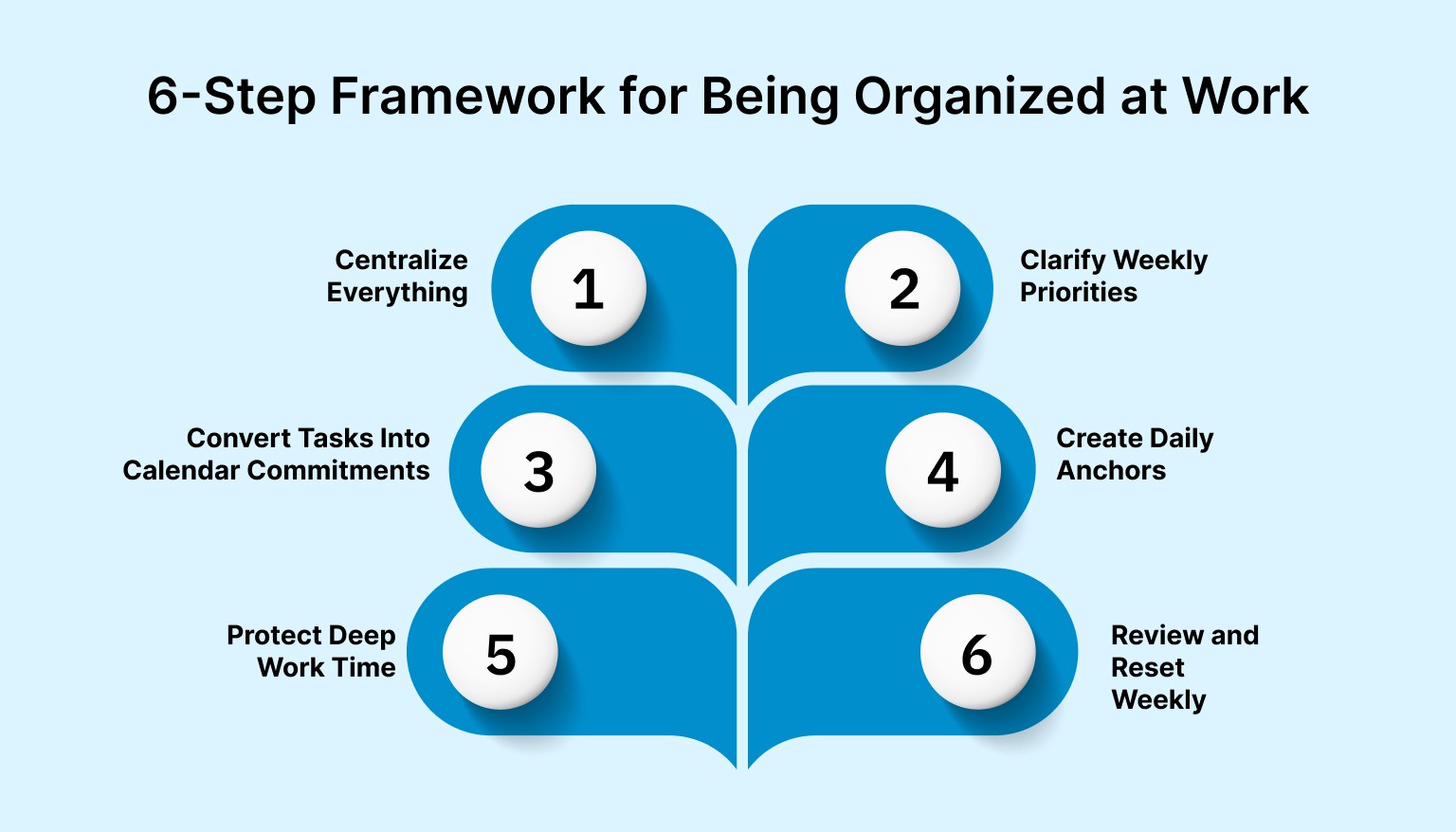
Step 1: Centralize Everything
Fragmentation is the fastest way to feel overwhelmed.
Tasks scattered across email, chat apps, notebooks, and mental reminders create constant uncertainty. You waste energy trying to remember where something lives.
Start by creating a single capture system. It should hold:
Work tasks
Follow-ups
Project steps
Recurring responsibilities
Ideas that need later action
The goal is not perfection. It is visibility. When everything lives in one place, you reduce the background anxiety of forgetting something important.
Instead of switching between tools, use a system that keeps tasks and your calendar in one place. Akiflow helps you capture tasks and schedule them realistically, keeping planning and execution in sync.
Centralization is the foundation. Without it, every other improvement becomes harder to maintain.
Step 2: Clarify Weekly Priorities
Organization starts at the weekly level, not the daily level.
If you begin each day without knowing what the week requires, you default to reactive work. Messages, small requests, and meetings take over.
Set aside time at the start of each week to answer:
What outcomes matter most?
What must move forward?
What can wait?
Limit your focus to three to five meaningful outcomes. These should reflect progress, not just activity. For example:
Finalize proposal draft.
Complete feature testing.
Prepare a hiring shortlist.
This step creates direction. Your calendar should reflect these priorities before it fills with secondary work.
Step 3: Convert Tasks Into Calendar Commitments
Lists are flexible. Calendars are concrete.
When tasks remain on a list, they compete for attention. When they are placed on the calendar, they become commitments.
For example:
Monday:
9:00–9:30 Weekly planning
10:00–12:00 Deep work on proposal
3:00–4:00 Admin and follow-ups
This structure makes your day visible. You see how much time is available. You also see limits.
Time blocking helps in several ways:
It prevents overloading the day.
It reduces last-minute decisions.
It protects time for important work.
Meetings often dominate calendars because they are scheduled by default. Important solo work must be scheduled with the same seriousness. If it is not on the calendar, it is vulnerable.
Being organized at work means shaping your week before it shapes you.
Step 4: Create Daily Anchors
Routines reduce decision fatigue. They create stability even when the day changes.
Consider three simple anchors:
Start-of-day planning (10–15 minutes)
Review today’s commitments. Confirm priorities. Adjust if needed.Protected focus block
Schedule at least one uninterrupted block for high-impact work.End-of-day reset (10 minutes)
Clear inboxes. Update task statuses. Prepare tomorrow’s top priorities.
These anchors act like guideposts. They keep your system running even during busy periods. Without them, small delays compound.
Consistency matters more than complexity.
Step 5: Protect Deep Work Time
Organization is not only about tracking tasks. It is about enabling focus.
Frequent context switching reduces quality and increases stress. Scattered meetings throughout the day make it hard to start meaningful work.
To protect deep work:
Group meetings into specific windows.
Batch administrative tasks together.
Schedule demanding work during peak energy hours.
Leave short buffers between commitments.
Energy fluctuates. Schedule analytical or creative work when your focus is strongest. Reserve lower-energy periods for routine tasks.
Protecting focus time is an act of prioritization. It signals what truly matters.
Step 6: Review and Reset Weekly
Even strong systems drift without review.
A weekly review does not need to be long. Twenty to thirty minutes is enough to:
Assess what moved forward.
Identify what slipped.
Reschedule incomplete work.
Adjust priorities for the coming week.
Keep the review simple. Avoid overanalysis. The purpose is clarity, not perfection.
A strong organization depends on rhythm. Weekly resets prevent backlog buildup and reduce the stress of unfinished tasks.
Common Mistakes That Make Work Feel Disorganized
Even well-designed systems can break down. These common mistakes are structural, not personal.
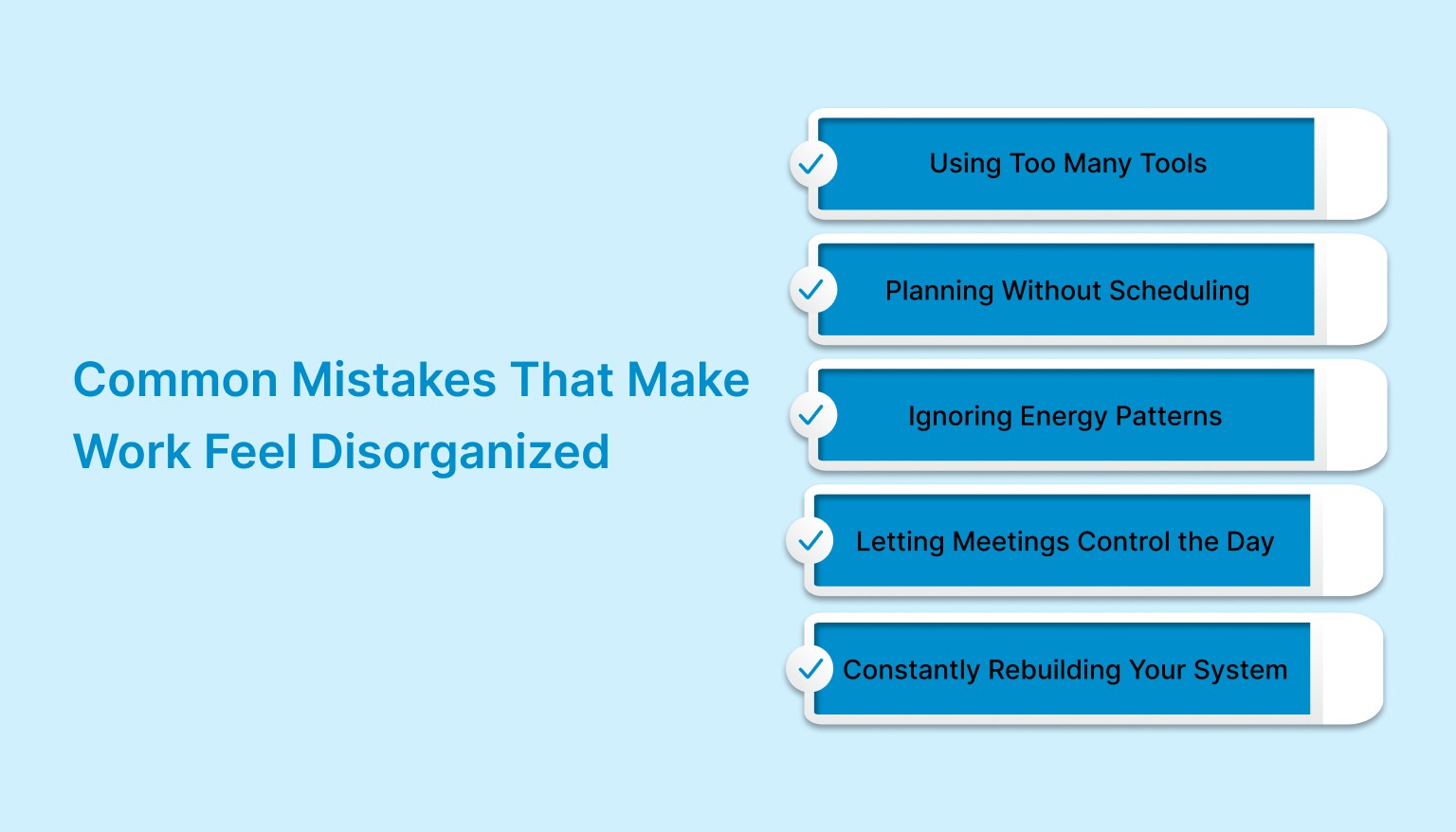
1. Using Too Many Tools
Multiple planners and task apps create confusion. You spend time managing tools instead of managing work.
Consolidate where possible. Fewer systems mean fewer decisions.
2. Planning Without Scheduling
Writing tasks without assigning time leads to repeated postponement. Planning should end with calendar commitments.
3. Ignoring Energy Patterns
Not all hours are equal. Scheduling complex work during low-energy periods leads to delays and frustration.
Match task difficulty with energy level.
4. Letting Meetings Control the Day
When meetings fill every open space, solo work suffers. Proactively reserve time before others claim it.
5. Constantly Rebuilding Your System
Switching methods frequently resets momentum. Small adjustments are fine. Full overhauls are rarely necessary.
Stability builds trust in your system.
How Can Tools Support Workplace Organization?
Tools should reduce friction, not add it.
A helpful system allows you to:
Capture tasks quickly.
View priorities clearly.
Connect tasks to available time.
Review progress without manual tracking.
When tasks and calendars live separately, planning becomes fragmented. You may know what needs to be done, but not when it will happen.
A unified task and calendar system reduces that gap. Automation can help with recurring tasks, reminders, and routine scheduling, reducing manual planning overhead.
Akiflow supports this approach by allowing tasks to be captured and scheduled in the same workspace. Instead of toggling between apps, you can drag tasks onto your calendar and see how your week fits together.
The goal is not more features. It has fewer friction points.
Quick Checklist: Are You Organized at Work?
Use this short diagnostic:
Do all tasks live in one reliable place?
Are your priority tasks scheduled on your calendar?
Do you protect at least one focus block each day?
Do you review your week before it begins?
Does your system reduce stress rather than add to it?
If you answer “no” to more than two, your structure likely needs adjustment.
Conclusion
Being organized at work is not about controlling every minute. It is about aligning tasks, time, and priorities so your effort moves meaningful work forward.
When everything lives in one place, when important tasks are scheduled, and when weekly reviews maintain rhythm, work becomes steadier. Stress decreases because expectations match reality.
You do not need a complex productivity philosophy. You need visible priorities and time assigned to them.
Instead of switching between tools, use a system that keeps tasks and your calendar connected. With the right structure in place, organization becomes less about effort and more about design.
Frequently Asked Questions
How do I stay organized when every day changes?
Start at the weekly level. Decide what must move forward, then review today’s commitments each morning and adjust when surprises hit. Keep one protected focus block and a short end-of-day reset so unfinished tasks do not pile up. You are aiming for structure that can absorb change, not a perfectly fixed day.
Should I use a task list, a calendar, or both?
Use both, but make them work together. A list captures commitments and details, while the calendar shows what is realistically possible with finite time. If a task is important, give it a time slot. When planning ends with calendar commitments, you can see trade-offs clearly and avoid writing down more than the day can hold.
How many priorities should I set each week?
Limit yourself to three to five meaningful outcomes. That is enough to create direction without turning your week into a crowded wish list. Choose progress-based results such as finishing a proposal draft or completing feature testing, then block time for them before secondary work and meetings take over.
What should I do if meetings keep taking over my day?
Reserve time for solo work before others claim it. Group meetings into specific windows, batch administrative work, and leave short buffers between commitments. Important solo work needs the same status as a meeting: if it is not on the calendar, it stays vulnerable and usually loses to scheduled requests.
How often should I review and reset my system?
Review weekly, and keep it short. Twenty to thirty minutes is enough to see what moved forward, spot what slipped, reschedule incomplete work, and adjust next week’s priorities. Make small adjustments when responsibilities change, but avoid constantly rebuilding your setup, which breaks trust and momentum.


