
Have you ever felt like your day was a disorganized drawer full of half-finished tasks, meetings, and open tabs? Paper planners make your schedule tangible and visible, helping you think more clearly about how your time is allocated. They provide a structured planning surface for your week.
They slow your thinking so you can see what’s important, reduce digital noise, and make it easier to protect focused time. Handwriting helps you remember priorities and complete more important tasks.
This post will teach you a clear time-blocking routine, ready templates, common pitfalls and fixes, and how to combine paper and a digital tool to keep planning and execution in sync.
Time blocking on paper is a planning method where you assign specific tasks to fixed time slots in a physical planner, allowing you to visually protect focus periods and structure your day intentionally.
Key Takeaways
Paper planners improve focus and memory, helping prioritize deep work.
Time blocking concentrates high-value tasks into protected 60 to 90-minute sessions.
Use weekly theme days to reduce context switching and build momentum.
Sync paper planning with a digital tool for reminders and shared scheduling.
Avoid overfilling days, add buffers, and review weekly for continuous improvement.
Why Paper Planners Still Work?
Paper planners give a tactile planning surface that supports focus, memory, and visible priorities. Handwriting slows thought into clarity, reduces digital interruptions, and makes commitments feel more concrete, which helps professionals protect deep work and maintain consistent weekly and daily rhythms.
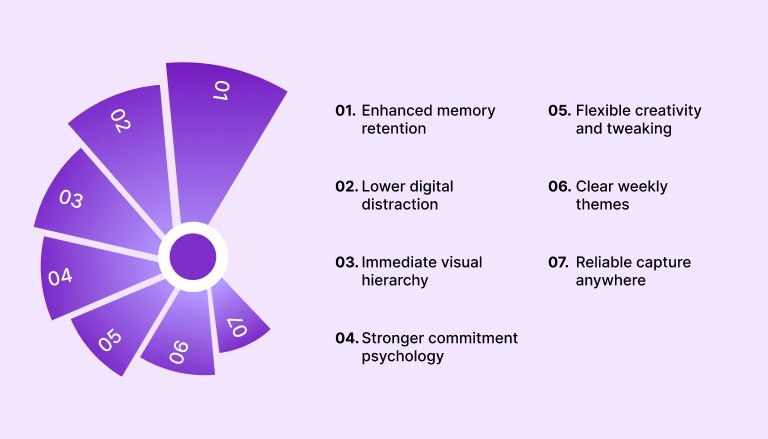
Below are the specific benefits professionals gain from using paper planners:
Enhanced memory retention: Handwriting encodes information more deeply than typing, improving recall during execution.
Lower digital distraction: Paper removes notifications and reduces context switching from apps and browser tabs.
Immediate visual hierarchy: A single page shows priorities and tradeoffs, so scheduling decisions happen faster.
Stronger commitment psychology: Physically writing tasks increases perceived ownership and follow-through.
Flexible creativity and tweaking: You can sketch, rearrange, and annotate freely without interface constraints.
Clear weekly themes: Paper makes it easy to assign theme days and protect longer, deep work blocks.
Reliable capture anywhere: A pocket planner or notebook lets you capture ideas even when devices are unavailable.
When To Use Paper Vs Digital?
Choosing between paper and digital planning is not about preference alone. It is about matching the tool to the type of thinking and coordination required. Paper supports reflection, prioritization, and deep focus, while digital systems excel at automation, reminders, and collaboration.
Professionals who combine both intentionally often experience better clarity and fewer dropped commitments.
Use the guide below to decide which medium fits each situation:
Strategic weekly planning: Use paper when defining priorities, themes, and deep work blocks for the week.
Daily focus execution: Use paper to protect distraction-free work sessions and visible time blocks.
Shared meetings and coordination: Use digital calendars for invites, rescheduling, and availability sharing.
Automated reminders and follow-ups: Use digital tools for alerts, recurring tasks, and deadline tracking.
High volume task capture: Use digital inboxes when collecting tasks from email, Slack, or other apps.
Long-term tracking and search: Use digital systems for searchable archives and project histories.
Also Read: Daily Work Management: Steps to Plan and Control Your Day
Planner Types And Materials To Choose
The effectiveness of time blocking with paper depends heavily on the planner format and materials you choose. Layout structure influences how you think about time, while size and writing tools affect portability and consistency.
Selecting the right combination reduces friction and makes daily planning sustainable.
Consider the following options before committing to a planner setup:
Daily vs Weekly Layouts: Daily layouts work best for detailed scheduling and heavy execution days, while weekly spreads are ideal for strategic overview, theme days, and balancing deep work across the week.
Planner Size Selection: A5 offers a balance between portability and writing space, A4 suits desk-based planning, and pocket sizes support quick capture on the move.
Paper Quality and Durability: Thicker paper prevents ink bleed and supports highlighters, ensuring your time blocks remain clear and readable throughout the week.
Pen and Writing Tools: Fine-tip pens improve clarity in tight hourly grids, while mild highlighters help visually separate deep work, meetings, and admin blocks.
Hourly Grid Templates: Best for structured days with fixed appointments, allowing precise time blocking in 30 or 60-minute increments.
Block grid layouts are ideal for grouping similar tasks, especially for batching creative, operational, or communication work.
Boxed Day View Templates: Helpful for professionals who prefer categorizing tasks into focus areas rather than strict hourly slots.
Step-by-Step Routine for Time Blocking on Paper
A structured routine turns time blocking from a good intention into a reliable system. By following the same sequence each week, you reduce decision fatigue and protect focus. This routine is designed for busy professionals who need clarity, flexibility, and consistent execution.
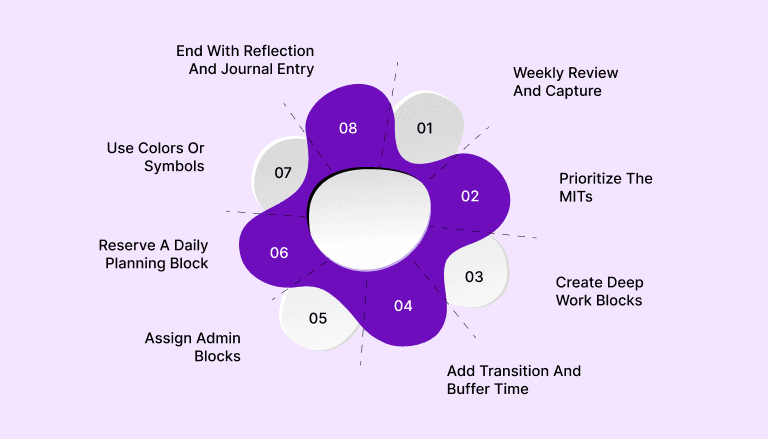
Follow these eight practical steps to implement time blocking effectively:
Step 1: Weekly Review And Capture
Gather all tasks, deadlines, and events from every source into one master list before assigning time blocks in your paper planner.
Step 2: Prioritize The MITs
Identify two to three of the most important tasks for the week to ensure your highest-leverage work gets scheduled first.
Step 3: Create Deep Work Blocks
Schedule 60 to 90-minute focus sessions for cognitively demanding tasks during your peak energy hours.
Step 4: Add Transition And Buffer Time
Insert short 10 to 15-minute gaps between blocks to prevent spillover and reduce stress.
Step 5: Assign Admin Blocks
Group emails, approvals, and routine updates into dedicated low-focus time windows.
Step 6: Reserve A Daily Planning Block
Set aside 10 to 15 minutes each day to adjust time blocks based on new priorities.
Step 7: Use Colors Or Symbols
Visually group projects or energy types to spot imbalance and maintain workload clarity.
Step 8: End With Reflection And Journal Entry
Spend five minutes reviewing completed work and noting improvements to strengthen the next day’s plan.
Also Read: Block Scheduling for Better Focus and Productivity
Example Templates For Practical Time Blocking
Templates reduce planning friction and make it easier to apply time blocking consistently. Instead of redesigning your layout every day, you can rely on structured formats that support deep work, visibility, and rhythm. Below are three practical templates that professionals can replicate in any paper planner.
Here are three simple yet effective layout examples you can use:
1. Sample Daily Layout With Three Deep Work Blocks
A structured daily layout built around three deep work blocks helps professionals protect meaningful progress while preventing reactive work from taking over. Instead of scattering important tasks across the day, this format concentrates high-value efforts into defined windows, followed by a controlled administrative session.
Below is a detailed breakdown of how to design and use this layout effectively:
Morning Deep Work Block: Schedule your most cognitively demanding task during your peak energy window, ideally 60 to 90 minutes without meetings, notifications, or multitasking.
Midday Deep Work Block: Reserve late morning or early afternoon for your second priority project, focusing on execution tasks that require sustained thinking but slightly less creative intensity.
Afternoon Deep Work Block: Use this session for strategic thinking, writing, planning, or complex problem solving that benefits from uninterrupted attention.
Dedicated Admin Block: Allocate one clearly defined block for emails, approvals, quick calls, and coordination to prevent shallow work from leaking into deep work time.
Defined Start and End Rituals: Begin each block by reviewing the single objective for that session and end by noting progress or next steps to reduce restart friction later.
Built-In Buffer Windows: Leave 10 to 15 minutes between blocks to reset mentally, stretch, or adjust plans if earlier tasks overrun.
Clear Visual Separation On Paper: Use lines, shading, or color coding to distinguish deep work from admin time so your day’s structure remains obvious at a glance.
2. Weekly Overview With Theme Days
A weekly overview built around theme days helps professionals reduce cognitive overload and protect strategic progress. Instead of juggling unrelated priorities every day, you assign each weekday a dominant focus area. This structure minimizes context switching, improves momentum, and creates psychological clarity about what kind of work belongs where.
Below is a deeper breakdown of how to implement theme days effectively:
Define Clear Weekly Themes: Choose 3 to 5 core focus areas such as growth, operations, product, strategy, or client work based on your role and quarterly goals.
Assign One Primary Theme Per Day: Designate each weekday with a dominant category so most deep work blocks align with that specific focus.
Batch Similar Tasks Together: Group related activities such as campaign planning, reporting, or roadmap building within the same themed day to maintain cognitive continuity.
Protect Large Uninterrupted Blocks: Schedule longer 90 to 120 minute sessions on theme days to allow immersion without constant mental resets.
Limit Cross-Theme Spillover: Avoid scheduling unrelated meetings or admin tasks that disrupt the psychological boundary of the day’s focus.
Review and Adjust Weekly: At the end of each week, evaluate whether the themes supported your priorities and refine the structure for the next cycle.
Align Themes With Energy Patterns: Place high-thinking themes, such as product, on your peak energy days and lighter coordination themes on lower energy days.
This approach creates rhythm across the week and makes your paper planner feel less crowded, since each page reflects a clear purpose rather than a scattered collection of unrelated tasks.
3. Pomodoro-Friendly Hourly Sheet
A Pomodoro-friendly hourly sheet combines structured time blocking with sprint-based focus. Instead of working in long, undefined stretches, you divide each hour into 25-minute focus sessions followed by short breaks. This method increases urgency, sustains mental intensity, and reduces burnout across the day.
Below is a detailed way to design and use this layout effectively in a paper planner:
Divide Each Hour Into 25-Minute Segments: Split your hourly grid into two 25-minute focus blocks with a 5-minute break after each session to maintain a rhythm.
Mark Breaks Visibly On The Page: Clearly label short breaks so you avoid skipping recovery time and prevent mental fatigue from building silently.
Assign One Specific Task Per Pomodoro: Write a single clear objective for each 25-minute session to eliminate multitasking and reduce decision friction.
Track Completed Sessions With Checkmarks: Mark each finished Pomodoro visibly to create momentum and provide a measurable sense of progress.
Group Four Sessions Into A Cycle: After four Pomodoros, schedule a longer 15 to 30-minute reset to recharge before starting another cycle.
Use Symbols for Energy Levels: Indicate high-focus Pomodoros with a symbol or color to ensure demanding tasks are placed during peak cognitive hours.
Plan A Realistic Daily Limit: Aim for 8 to 12 high-quality Pomodoros per day, depending on workload and mental capacity, to avoid over-scheduling.
This layout works especially well for professionals who struggle with procrastination or distraction, as the visible countdown of short sprints creates urgency while the structured breaks preserve long-term stamina.
Try Akiflow’s free 7-day trial to centralize tasks, automate reminders, and keep your paper plan distraction-free.
Common Pitfalls And Fixes
Even well-designed time-blocking systems fail when small structural mistakes compound over time. Most breakdowns do not come from lack of effort but from unrealistic planning, poor boundaries, or inconsistent review habits. Identifying these pitfalls early allows you to correct them before your planner becomes another abandoned productivity tool.
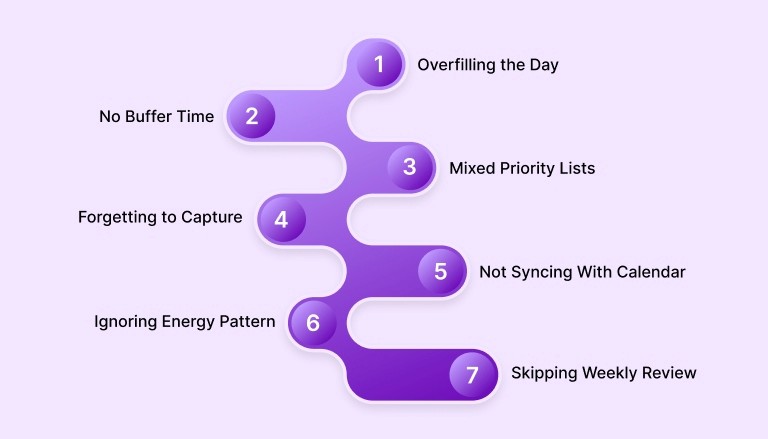
Below are the most common mistakes professionals make when time blocking with paper, along with simple fixes:
Overfilling the Day: Reduce your schedule to two or three core deep work blocks and treat everything else as secondary.
No Buffer Time: Add 10 to 15 minute transition windows between blocks to prevent spillover and mental fatigue.
Mixed Priority Lists: Separate the most important tasks from low-value admin items so high-impact work gets scheduled first.
Forgetting to Capture: Keep a small inbox section or pocket note page to collect tasks immediately before placing them into proper blocks.
Not Syncing With Calendar: Establish a weekly ritual to align your paper plan with your digital calendar to avoid missed meetings or conflicts.
Ignoring Energy Patterns: Schedule demanding tasks during peak cognitive hours instead of forcing deep work into low-energy periods.
Skipping Weekly Review: Dedicate time at the end of each week to assess what worked and adjust the upcoming layout accordingly.
How To Pair Paper Planners With Your Digital System?
Blending a paper planner with a digital system gives you the best of both worlds. Paper supports reflection, creative planning, and focus blocks, while digital tools manage reminders, syncing, and collaboration across devices. When you combine these intentionally, you reduce friction between your long-term goals and daily execution.
Below are actionable steps to help you integrate paper planning with a digital workflow:
Capture Tasks on Paper, Then Digitize: Write new tasks quickly in your paper planner, and then transfer permanent tasks into your digital inbox to centralize them for future scheduling.
Sync During Weekly Review: At your weekly planning session, enter scheduled events and deadlines into your digital calendar so your fixed appointments and reminders are automated.
Use Digital Tools For Reminders: Reserve your paper planner for focus and structure, and rely on digital systems for alerts, notifications, and deadline reminders that keep you on track.
Treat Paper As The Planning Surface: Let paper be where you brainstorm, map out blocks, and reflect, and use a digital platform to execute, adjust, and track what must happen next.
Sync Regularly Based On Load: Depending on how many meetings or changing priorities you have, sync your paper plan with your digital system once per day or once per week to prevent mismatches.
Centralize Digital Scheduling: Using a task-calendar integration tool like Akiflow can consolidate tasks and calendar items into one place, keeping your paper plan clean and distraction-free.
You can optimize your time-blocking routine with Akiflow. You can centralize your tasks, automate reminders, and ensure your time blocks stay aligned with real calendar commitments. Try Akiflow today and experience a more organized, focused workday.
Conclusion
Paper planners sharpen focus, aid memory, and make priorities visible. Pairing them with a reliable digital system preserves that focus while automating reminders, shared scheduling, and task history. This hybrid approach reduces context switching, protects deep work, and makes weekly reviews actionable and repeatable.
Ready to test the hybrid workflow? Try Akiflow’s free trial to centralize calendar items, capture tasks from email, and use Akiflow to schedule tasks into available calendar slots efficiently.
FAQs
1. Is time blocking with a paper planner better than using a digital app?
Paper planners are better for focus and strategic thinking, while digital apps handle reminders, syncing, and collaboration. Combining both creates a more reliable and balanced productivity system.
2. How many time blocks should I schedule in one day?
Most professionals perform best with two to three deep work blocks per day, plus one admin block and buffer time to prevent overload and fatigue.
3. What is the ideal length for a deep work block?
Deep work blocks typically last 60 to 90 minutes, depending on your energy levels and task complexity, followed by short recovery breaks to maintain mental stamina.
4. How do I prevent my paper planner from becoming outdated?
Schedule a weekly review to update priorities, adjust unfinished tasks, and sync important events with your digital calendar to avoid missed commitments or conflicts.
5. How does Akiflow support a paper time-blocking system?
Akiflow centralizes tasks and calendars, automates reminders, and helps you schedule blocks efficiently, keeping your paper planner clean and distraction-free.


