
Summary
Treat notes as your team's shared memory: capture decisions, owners, and deadlines so context does not vanish, repeat discussions stop, and nobody leaves assuming someone else is handling the work.
Use one structure every time: metadata, agenda topics, action items, decisions, and parking lot questions, with each task written as "[Owner] will [specific action] by [deadline]."
Prepare before the meeting, listen for decisions during it, then spend five minutes cleaning up and share notes within two hours so action items start immediately and stay visible.
Meetings consume 15% of an organization's time, according to Bain research. Yet 71% of meetings are considered unproductive by senior managers.
The gap? Poor meeting notes.
When notes fail, decisions get lost. Action items evaporate. Teams repeat the same discussions week after week. The result is wasted time, missed deadlines, and frustrated colleagues.
This guide shows you how to take good meeting notes that transform discussions into results. You'll learn practical frameworks, discover proven templates, and find tools that make note-taking effortless. Whether you're leading a sprint planning session or attending a client call, these strategies will help your team stay aligned and productive.
Why Meeting Notes Matter More Than You Think?
The difference between high-performing teams and struggling ones often comes down to documentation. When meeting outcomes are captured effectively, teams execute faster, communicate more clearly, and waste less time. Here's why meeting notes are your team's most underrated productivity tool.
Meeting notes aren't just documentation. They're your team's shared memory.
Without effective notes, teams lose critical context. According to Hermann Ebbinghaus's famous forgetting curve, people forget 40% of new information within 24 hours. When meeting outcomes aren't captured, that knowledge vanishes.
Good meeting notes create accountability. They clarify who owns what by when. They eliminate the "I thought you were handling that" confusion that derails projects.
Meeting notes also reduce follow-up questions. Instead of Slack threads asking "What did we decide?" team members reference the notes. This saves hours every week.
For remote and hybrid teams, notes become even more essential. When participants span time zones, notes ensure everyone stays informed regardless of attendance.
Also read: How to Take Meeting Minutes That Drive Action: Steps and Tips
The 5 Elements Every Meeting Note Should Include
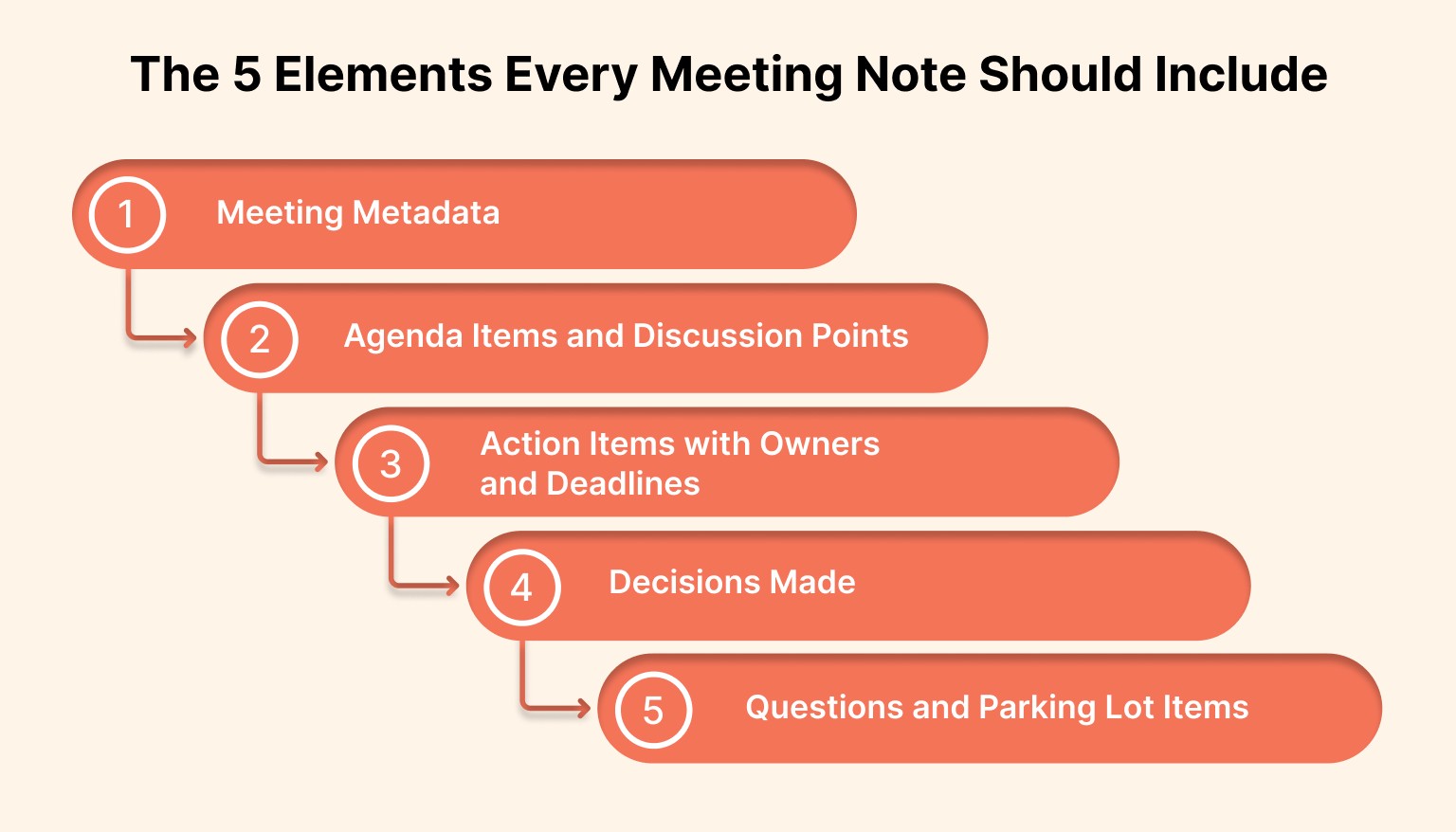
Understanding how to take meeting notes effectively starts with structure. Without a consistent framework, even well-intentioned note-takers produce scattered, unusable documentation. These five elements form the foundation of productive meeting notes that teams actually reference and act upon.
Every productive meeting note contains these five elements:
1. Meeting Metadata
Capture the basics at the top. Include date, time, attendees, and the meeting's purpose. This context helps anyone reviewing notes later understand the situation.
Add absentees too. Knowing who missed the meeting clarifies who needs a summary.
2. Agenda Items and Discussion Points
List each topic discussed. Under each item, note key points raised, not full transcripts.
Focus on decisions and disagreements. If the team debated two approaches, document both options and why one was chosen. This prevents revisiting settled issues.
3. Action Items with Owners and Deadlines
This is the most critical section. Every action item needs three components: what needs to be done, who will do it, and when it's due.
Use this format: "[Owner] will [specific action] by [deadline]."
Example: "Sarah will create the Q2 budget proposal by March 15."
4. Decisions Made
Explicitly state what was decided. Even if it seems obvious during the meeting, write it down. Decisions without documentation get questioned later. Clear decision logs prevent endless re-litigation.
5. Questions and Parking Lot Items
Note unresolved questions. Track topics tabled for later discussion. This parking lot ensures good ideas don't disappear. It also keeps meetings focused by acknowledging items without derailing the agenda.
Also read: 10 ways to improve work efficiency and productivity
How to Take Good Meeting Notes: 4 Proven Methods
Not all meetings are created equal, and your note-taking approach should reflect that. A rapid standup requires different documentation than a quarterly strategy session. Master these four methods, and you'll have the right tool for any meeting scenario, from quick check-ins to complex multi-hour workshops.
Different meetings require different approaches. Here are four methods that work for various scenarios:
The Cornell Method
Divide your page into three sections. The main note-taking area captures discussion points. A narrow left column holds keywords and questions. A bottom section summarizes key takeaways.
This method works well for complex strategic meetings. The structure forces you to identify core themes and distill information.
During the meeting, take notes in the main area. Immediately after, add keywords and write the summary while the details are fresh. Once your notes are structured and saved as a document, turning them into shareable presentation materials can help reinforce key decisions and align stakeholders.
The Action-Oriented Method
Skip detailed discussion notes. Focus exclusively on action items, decisions, and next steps.
This method suits fast-paced operational meetings. It produces concise notes that teams can scan in 30 seconds. Use a simple three-column table: Action Item, Owner, Due Date.
The Topic-Based Method
Organize notes by agenda item. Under each topic, list discussion points, decisions, and actions.
This approach works for structured meetings with clear agendas. It makes notes easy to reference later when someone asks about a specific topic.
The Real-Time Collaborative Method
Multiple team members contribute simultaneously using shared documents. One person captures action items while another tracks decisions.
This distributes the note-taking load. It also creates more complete notes since different people notice different details.
Assign roles before the meeting. Designate who captures what to avoid duplication or gaps.
Step-by-Step: How to Take Meeting Notes Like a Pro
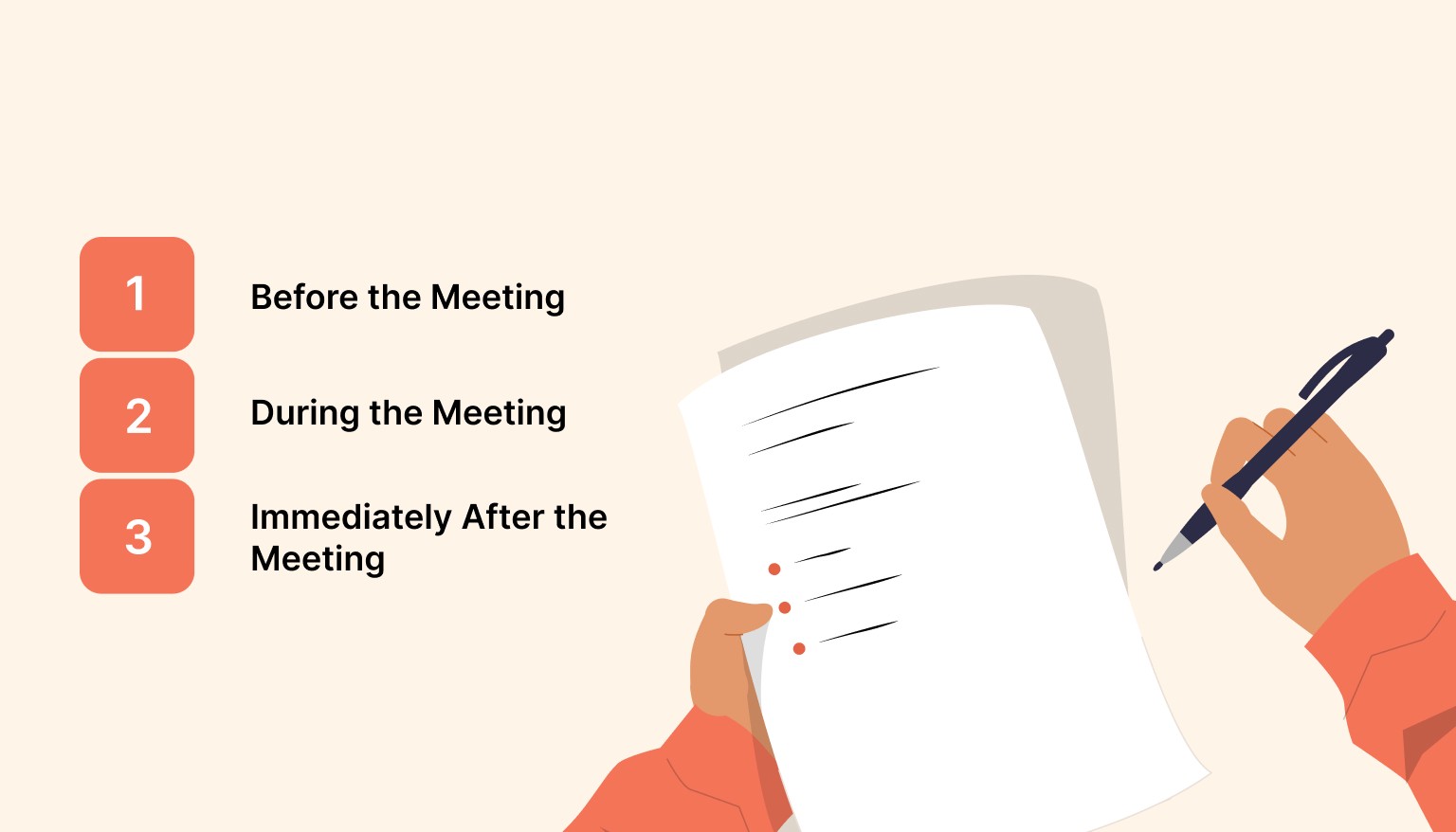
Theory matters, but execution determines results. The best note-taking method fails without a proper workflow. This step-by-step process covers everything from pre-meeting preparation to post-meeting distribution, ensuring your notes actually drive team action rather than gather digital dust.
Learning how to take good meeting notes requires practice. Follow this workflow:
Before the Meeting
Review the agenda and previous meeting notes. Understanding context helps you recognize important information.
Set up your note template. Having a structure ready lets you focus on content rather than formatting.
Clarify your role. Are you the official note-taker, or just capturing notes for yourself? Official note-takers have different responsibilities.
During the Meeting
Listen for decision points and action items. These matter most. Use abbreviations and shorthand. Full sentences slow you down. Expand them later.
Timestamp important moments. If the CEO makes a key announcement 22 minutes in, note the timestamp. This helps when reviewing recordings.
Ask for clarification when needed. If an action item is vague, speak up. "Could you clarify exactly what needs to be delivered?" saves confusion later.
Immediately After the Meeting
Spend five minutes reviewing and cleaning up notes. Fill in abbreviations. Clarify vague phrases while they're still fresh.
Share notes within two hours. Speed matters. Fast distribution keeps momentum and ensures action items start immediately.
Tag relevant people in action items. Don't just send notes to everyone. Specifically notify task owners so items don't get missed.
Must read: Top Workflow Management Tools for Productivity in 2026
Common Meeting Notes Mistakes (and How to Avoid Them)
Even seasoned professionals fall into these traps, creating notes that confuse rather than clarify. Recognizing these errors is the first step to better documentation. Here are the five most damaging mistakes that undermine meeting productivity, along with practical fixes you can implement immediately.
Even experienced professionals make these errors:
Trying to Capture Everything
You're not creating a transcript. Notes should capture decisions and actions, not every word spoken. Focus on outcomes. Ask yourself: "What does the team need to know and do?"
Using Vague Language
"Sarah will handle the marketing stuff" isn't actionable. What specific marketing task? By when?
Always include concrete details. Vague notes create confusion and inaction.
Delaying Distribution
Notes shared three days later lose impact. Action items feel less urgent. Context fades.
Share notes the same day. Even rough notes distributed quickly beat perfect notes sent late.
Burying Action Items
Don't hide action items within paragraphs. Make them visible.
Use formatting like bold text or bullet points. Some teams create a dedicated "Action Items" section at the top for maximum visibility.
Forgetting to Follow Up
Notes aren't useful if no one reads or acts on them. Check in on action items before the next meeting.
A quick Slack message works: "Hey Sarah, just confirming you're still on track for the budget proposal by Friday?"
Tools That Make Meeting Notes Effortless
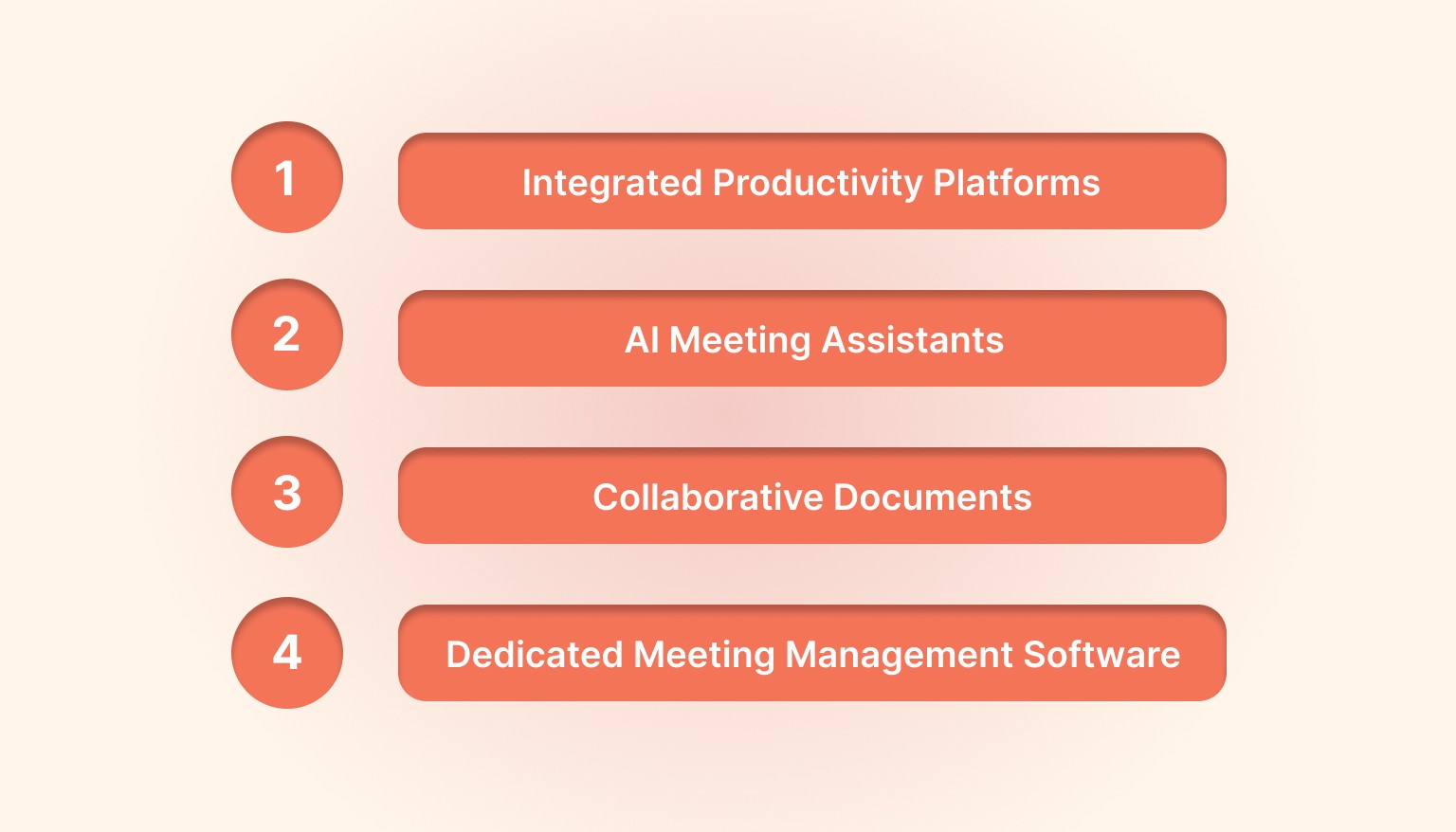
The right technology transforms note-taking from a manual burden to an automated workflow. Modern productivity tools don't just capture information; they connect meeting outcomes directly to your calendar, task list, and team collaboration platforms. Here's how to choose and use tools that multiply your meeting ROI.
The right tools transform note-taking from burden to habit.
Integrated Productivity Platforms
A productivity tool like Akiflow can help you capture meeting notes and immediately convert action items into scheduled tasks. Instead of letting to-dos sit in notes, you can drag them directly into your calendar.
This integration ensures meeting outputs become actual work. Notes don't just document decisions; they drive execution.
AI Meeting Assistants
Tools like Noota.io, Otter.ai and Fireflies.ai automatically transcribe meetings. They identify speakers and generate searchable transcripts.
These tools work well for detailed documentation. However, human review remains essential. AI captures words but often misses context and decisions.
Collaborative Documents
Google Docs and Notion enable real-time collaboration. Multiple people can contribute simultaneously, creating more comprehensive notes.
These platforms also maintain version history. If something gets accidentally deleted, you can restore it.
Dedicated Meeting Management Software
Fellow.app and Hugo centralize meeting agendas, notes, and action items. They integrate with calendar tools to create seamless workflows.
These specialized tools work best for teams with heavy meeting schedules who need standardized processes.
How to Turn Meeting Notes Into Team Action?
Documentation without execution is just expensive record-keeping. The true value of meeting notes emerges when they drive coordinated team action. These strategies ensure your carefully crafted notes translate into completed tasks, met deadlines, and measurable progress toward team goals.
Notes only matter if they drive results. Here's how to ensure follow-through:
Create a Single Source of Truth
Store all meeting notes in one location. Whether it's a shared drive, project management tool, or wiki, consistency matters. Random storage leads to lost notes. Standardize the location and naming convention.
Build Note Review Into Your Workflow
Start each meeting by reviewing previous action items. This creates accountability and shows that notes actually matter. Teams that skip this step find that action items consistently fall through cracks.
Assign a Rotating Note-Taker
Don't burden the same person every time. Rotate the responsibility across team members. This distributes work and gives everyone practice. It also ensures fresh perspectives.
Link Notes to Projects
Connect meeting notes to relevant projects in your task management system. This provides context when team members need to reference decisions later. Orphaned notes that don't connect to ongoing work become useless archives.
Conclusion
Learning how to take good meeting notes transforms unproductive discussions into aligned action. The five essential elements, metadata, discussion points, action items, decisions, and parking lot items, create comprehensive documentation. Whether you use the Cornell method, action-oriented approach, or collaborative technique, consistency matters most.
Start with one meeting this week. Use a template from this guide. Share notes within two hours and follow up on action items. You'll immediately see improved clarity and execution.
Akiflow helps you bridge the gap between meeting notes and actual work. When discussions are scheduled on your calendar, action items don't get lost.
Try Akiflow today to take control of your schedule and turn every meeting into measurable progress. Start your free trial and save hours every week.
FAQs
1. What's the fastest way to take meeting notes?
Focus only on action items and decisions using a three-column template: Action | Owner | Deadline. Skip detailed discussion notes unless specifically needed. Use abbreviations during the meeting and expand them immediately afterward. Share rough notes quickly rather than waiting to perfect them.
2. Should meeting notes include everything discussed?
No. Meeting notes should capture outcomes, not transcripts. Focus on decisions made, action items assigned, and key discussion points that provide context. If someone says something important three different ways, note it once. The goal is clarity and action, not completeness.
3. How do you take meeting notes when you're leading the meeting?
Assign a dedicated note-taker so you can focus on facilitation. If that's not possible, use a collaborative document where participants contribute in real-time. Alternatively, record the meeting and take notes afterward using the recording to fill gaps. Never let note-taking distract you from guiding the discussion effectively.
4. What should I do with meeting notes after they're shared?
Convert action items into scheduled tasks in your productivity system. Block time to complete them. Review notes before the next meeting to track progress. Archive notes in a searchable location connected to relevant projects. Follow up with task owners to ensure accountability and momentum.


