Best Goal Tracking Apps in 2026: Tools That Fit the Way You Actually Work

9
Most professionals start the year with clear ambitions: launch a new product, land a major client, write that long-postponed thought leadership piece. But by the end of the first quarter, those goals are often buried under urgent tasks, last-minute meetings, and a schedule that feels more reactive than intentional.
Research shows that only 8% of people feel successful in achieving their resolutions, while 42% give up on them before February even begins. According to a 2025 report, employees who clearly define and track their goals are 14.2 times more likely to feel inspired at work and 3.6 times more likely to remain committed.
The problem usually isn’t a lack of motivation. It’s a lack of structure. Without a system that connects high-level goals to daily decisions, even important priorities get sidelined. The right goal tracking app can help close that gap. Not just by helping you define what matters, but by giving you the tools to stay focused and follow through over time.
Key Takeaways
Most goals fail not from lack of clarity but from lack of follow-through
The best goal apps connect with tools you already use and support daily action
Strides, TickTick, Notion, Habitica, and Way of Life stand out in 2026
Choosing the right app depends on your work style and preferred level of structure
Goal tracking works best when paired with time blocking and weekly reviews
What Makes a Goal Tracking App Worth Using in 2026?
Not all goal apps are designed to help you follow through. Many are good at helping you brainstorm or visualize outcomes, but fall short when it comes to daily execution.
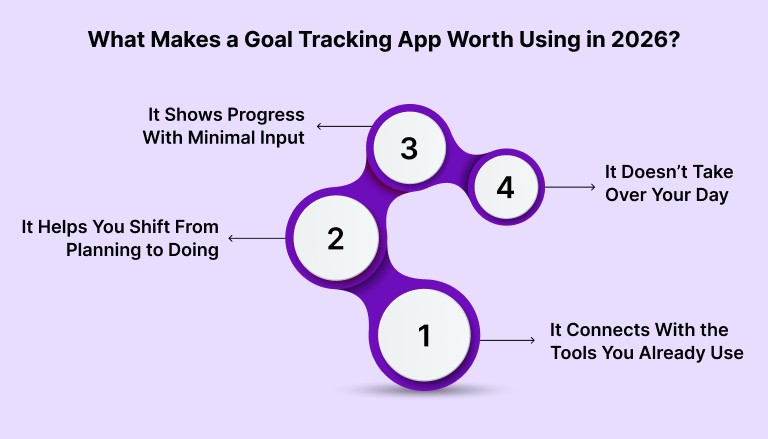
The most useful goal tracking apps in 2026 share a few key traits:
1. It Connects With the Tools You Already Use
If your goals live in a separate app that you rarely open, they won’t stay top of mind. The best tools sync with what you already rely on, such as Google Calendar, Slack, Notion, or your task manager.
When goal-related tasks appear where you’re already managing your day, they’re more likely to get done.
2. It Helps You Shift From Planning to Doing
A lot of apps stop at high-level planning. You can write out objectives and even define milestones, but that only matters if you make time to act on them.
Look for apps that support task breakdowns, recurring actions, and scheduling. Progress happens when goals are tied to regular effort, not just vision.
3. It Shows Progress With Minimal Input
Motivation tends to drop when you can’t see results. A good goal app gives you feedback with little to no extra work. That might be a progress bar, a chart of completed tasks, or a habit streak.
Quick visibility makes it easier to adjust your pace or refocus your efforts.
4. It Doesn’t Take Over Your Day
If logging your week takes 30 minutes, you probably won’t do it consistently. A well-designed goal app requires little setup and lets you track progress in just a few minutes each day.
When the system is easy to maintain, it becomes part of your routine.
Must read: How to Set Work Goals That Actually Drive Results
The Best Goal Tracking Apps in 2026 for Real-World Follow-Through
There’s no shortage of goal tracking apps, but not every one of them is designed for follow-through. Below are five tools that stand out in 2026 for different types of professionals. Each one supports a specific use case and can help you stay more organized, depending on how you prefer to plan and work.
Strides
For structure without too much setup
Strides is a straightforward app for tracking habits, milestones, and goals. You can create recurring goals, set timelines, and check progress on visual dashboards.
What it’s good for:
Keeping a regular view of your goals
Setting up progress tracking quickly
Staying organized without heavy customization
TickTick
For combining tasks, habits, and calendar planning
TickTick brings together task lists, habit tracking, and a built-in calendar. It’s useful if your goal-related work overlaps with your daily to-do list.
What it’s good for:
Managing tasks and habits in the same space
Scheduling work using a calendar view
Setting reminders and tracking progress over time
Notion (using templates)
For professionals who want to build a more customized system
Notion can be turned into a goal tracker using templates or databases. It’s flexible enough to connect goals to ongoing projects or documentation.
What it’s good for:
Tracking layered or long-term goals
Customizing views (like kanban, tables, or calendars)
Managing personal and work goals in one place
Habitica
For those who like gamification or external motivation
Habitica turns habits and goals into a simple role-playing game. Completing tasks earns you rewards, and you can join group challenges with friends or colleagues.
What it’s good for:
Building consistency through small daily actions
Making habit tracking feel a bit more fun
Adding some light accountability
Way of Life
For simple habit tracking and reflection
Way of Life is a minimal, reflection-based tool. You check off habits with a yes or no, and the app provides trend data and journaling space to help you review your progress.
What it’s good for:
Simple daily tracking
Visual trend spotting over time
Supporting long-term behavior changes
These tools work better when you use them as part of a broader system. Tracking is helpful, but consistent action often depends on your schedule. That’s where connecting your goals to your calendar becomes important.
Check out our Guide to Building an Effective Weekly Work Plan
How to Choose the Right Goal Tracking App for Your Workflow
There’s no single best goal tracker. The right one depends on how you work, how much structure you need, and what kind of goals you’re trying to manage.
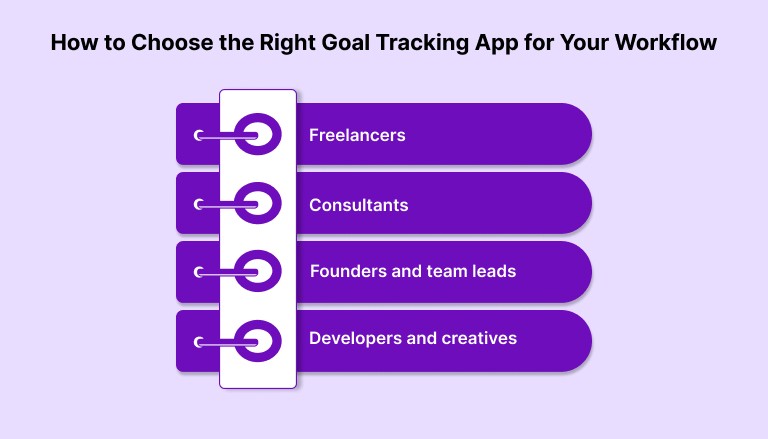
Here’s how different types of professionals might approach it:
Freelancers: Keep it simple and time-aware
If you’re juggling multiple clients, you don’t need complexity. You need something fast and reliable. Apps like Strides or Way of Life help you track progress without extra friction. Pair that with a calendar-based planner like Akiflow to carve out actual time for billable work or business development.
Consultants: Look for integration and visibility
Consultants often deal with overlapping priorities and shifting client needs. TickTick is a strong choice here, especially if your goal work needs to stay close to your daily task list. Built-in calendar views and habit tracking help bridge planning with execution.
Founders and team leads: Prioritize customization
If you’re managing both your own work and team-level outcomes, flexibility matters. Notion, with a goal-tracking template, gives you space to connect goals to larger initiatives. It’s especially helpful when paired with a scheduling layer to block time for deep work or strategy sessions.
Developers and creatives: Choose focus over features
Long blocks of uninterrupted work are key. Apps like TickTick (for Pomodoro timers and recurring tasks) or Habitica (for light gamification) can support habit-building around your deep work. The key is choosing a tool that doesn’t overcomplicate your day.
Why Goal Tracking Works Better When Paired With a Calendar
Tracking your goals helps you stay focused on what matters, but that alone won’t move the work forward. If you don’t schedule time for goal-related tasks, they tend to get buried under day-to-day demands.
The key is connecting your goals to your actual calendar. This gives your intentions a place to live during your week.
Here’s why that matters:
Awareness is not the same as action. Writing down a goal is a starting point, but progress happens when you consistently make time to work on it.
Calendars create boundaries. Blocking time helps protect your focus. You’re not squeezing in goal work between meetings; you’re giving it a slot alongside everything else that matters.
You can spot conflicts early. If your week is already packed, adding a few more priorities without rescheduling something else won’t work. Seeing tasks and events in one place helps you make trade-offs more intentionally.
Goals become part of your routine. A recurring 60-minute block every Tuesday is more likely to build momentum than hoping you find time each week.
For example, if your goal is to publish four blog posts this month, tracking that in an app is helpful. But unless you block out writing sessions, the work stays theoretical.
Scheduling even two to three goal-focused blocks per week is often enough to build progress into your routine without overloading your calendar.
Must read: Goal-Setting Frameworks Every Professional Should Know
How Akiflow Helps You Bridge the Gap Between Goals and Execution
Most goal tracking tools help you define what you want to achieve. Akiflow helps you make time for it.
Here’s how it supports real follow-through:
Turn goals into scheduled work: Drag tasks into your calendar to block focused time, so goal-related work doesn’t get pushed aside.
Centralize tasks from different tools: Pull in action items from Gmail, Notion, Slack, and more. This keeps your goals and daily work in one place.
See your real availability: Connected to Google Calendar or Outlook, Akiflow helps you avoid overbooking and plan your week realistically.
Protect time for deep work: Recurring time blocks let you stay consistent without re-planning every week.
For example, if you’re tracking a product launch in Strides or Notion, you can schedule research, writing, or design sessions directly in Akiflow. This helps keep progress visible and the work on track.
Akiflow doesn’t replace your goal app. It gives your plans a place on your calendar.
Want to see how your goal system looks in a real schedule? Try Akiflow to structure your week around what actually matters.
How to Make Your Goal System Stick
Even with the right tools, most goal systems fall apart because they don’t become part of your routine. The key is to make tracking and planning feel like a normal part of your week, not something extra you need to remember.
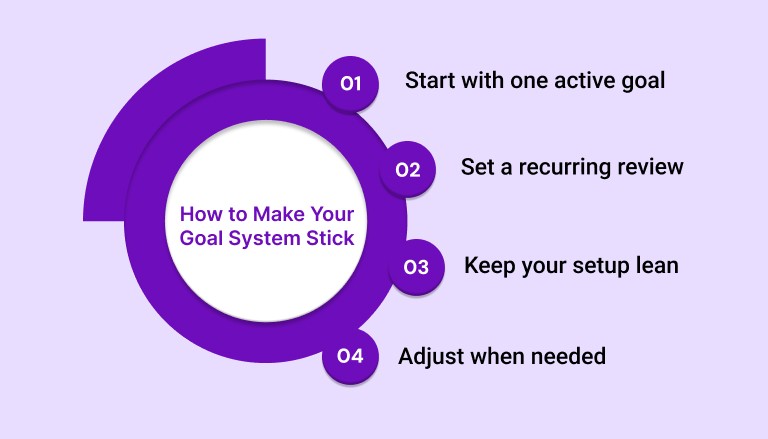
Here are a few ways to keep your system working:
Start with one active goal: Don’t track everything at once. Choose one priority and block time for it twice a week.
Set a recurring review: A 15-minute check-in once a week is usually enough. Look at what moved forward, what didn’t, and adjust your schedule.
Keep your setup lean: One app for tracking, one for scheduling. If your system takes too much time to maintain, you’ll stop using it.
Adjust when needed: Missing a block doesn’t mean you’ve failed. Reschedule it. Progress comes from consistency, not perfection.
Small systems that fit into your week will beat complex setups every time. Focus on staying consistent, not building the perfect workflow.
Check this out: Goal Tracking Can Be Fun: 10 Creative Ideas to Try
Final Thoughts
The right goal app can give you clarity, but clarity alone doesn’t create results. What matters is whether you show up for work, week after week.
That means tracking your priorities and making space for them in your schedule. If your goals never make it onto your calendar, they’ll keep getting pushed aside.
Akiflow helps you close that gap. It brings your tasks into one place and lets you block time for the work that moves your goals forward.
Start with one goal, one block of time, and build from there. Try now!
FAQs
Q: What is a goal tracking app?
A: A goal tracking app helps users define goals, break them into tasks or habits, and monitor progress over time. Most include visual tracking and reminders.
Q: How do goal tracking apps support professional workflows?
A: They translate high-level goals into daily actions, helping individuals stay aligned with long-term priorities while managing short-term demands.
Q: Is a goal tracker necessary alongside a task manager?
A: Yes. Task managers focus on execution, while goal trackers provide structure and visibility around long-term outcomes. Both serve different but complementary functions.
Q: Which features are most important in a goal tracking app?
A: Key features include habit tracking, task breakdowns, progress visualization, calendar or app integrations, and a simple, distraction-free interface.
Q: How often should goals be reviewed?
A: Weekly reviews are ideal. Reviewing progress, updating tasks, and adjusting plans every 7 days helps maintain momentum and clarity.
Q: Can a goal tracker function as a calendar tool?
A: No. Goal trackers provide direction and insight, while calendar tools handle time allocation. Effective goal systems require both.


