Calendar Management Tools vs Virtual Assistant: Which One Works Better?

7
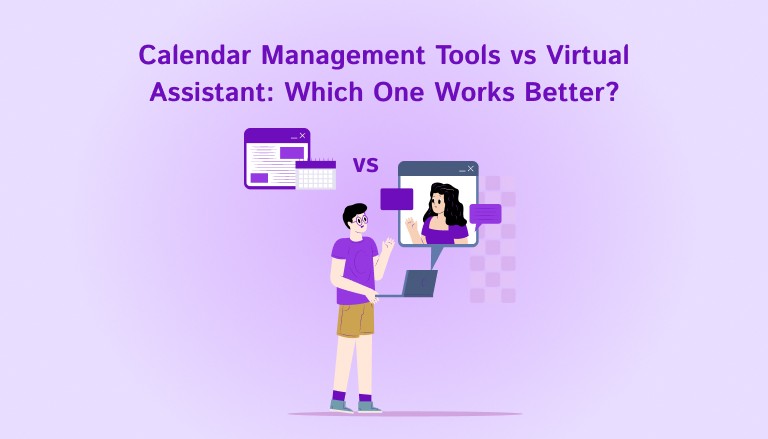
Time management has become its own part-time job.
Between back-to-back Zoom calls, shifting priorities, and scattered to-dos across Slack, Notion, and your inbox, managing your calendar isn’t just about booking slots. It’s about protecting your focus.
So it’s no surprise that professionals are looking for help. For some, that means hiring a virtual assistant to take over scheduling. For others, it means turning to calendar management tools that offer control, structure, and clarity without the back-and-forth.
But which one actually works better?
If you’ve ever Googled “calendar management tools virtual assistant,” you’re likely wondering the same thing: Should you delegate your calendar to a human or build a system that works smarter than one?
In this blog, we’ll break down the key differences between calendar management tools and virtual assistants, when to use each, and why more high-performance professionals are choosing software over delegation.
Key Takeaways
Virtual assistants handle scheduling for you, but require setup, communication, and ongoing management. They’re best for executives with complex external calendars.
Calendar management tools give you control, real-time visibility, and built-in integrations with task apps like Slack, Gmail, and Notion. They work best for solo professionals and high-performers who want structure without relying on others.
Using both is possible, but starting with a tool first helps build a system that’s easier to scale or delegate from later.
AI calendar tools like Akiflow, Motion, and Reclaim are replacing manual scheduling for many professionals by reducing context switching and protecting time for focused work.
What Are Calendar Management Tools and Virtual Assistants?
Both calendar management tools and virtual assistants aim to help you stay on top of your schedule. But how they work, and how they fit into your workflow, are very different.
Calendar management tools
These are apps designed to help you organize your time, plan your day, and manage your schedule more intentionally. Unlike standard calendar apps, these tools often connect with your task manager, email, and communication tools so everything stays in sync.
Examples include:
Akiflow, which combines your tasks and calendar in one place
Motion, which auto-schedules your to-dos around meetings
Reclaim, which protects time for habits and deep work
These tools give you control over how your day is structured, instead of reacting to your calendar as it fills up.
Virtual assistants
A virtual assistant can be a human or a scheduling bot that manages your calendar for you. Human VAs handle requests, reply to scheduling emails, and coordinate with clients or teams. AI scheduling assistants automate parts of that through email or chat, following your preferences.
In both cases, the goal is to take scheduling off your plate so you don’t have to deal with the details.
Must read: The 13 Best Calendar Management Tools for 2026 (Based on Features, Pricing & More)
Recently added to Akiflow
Meeting Assistant: Akiflow’s Meeting Assistant records, transcribes, and summarizes your calls, then surfaces the follow-ups and decisions so nothing gets lost.
MCP (AI integration): Through MCP, Akiflow plugs into AI assistants like Claude and ChatGPT, letting you create and manage tasks, meetings, and deadlines from your favorite AI tool.
AI Workflows: Browse and apply community-built AI Workflows in Akiflow to automate how you plan, capture, and organize work.
Universal Inbox: Akiflow’s Universal Inbox gathers tasks and messages from Gmail, Slack, Notion, Asana and other tools into one view, and turns emails into tasks in a click.
Two-Way Calendar Sync: Akiflow syncs both ways with Google Calendar and Outlook, so changes in either place stay in sync.
Calendar Management Tools vs Virtual Assistants: Pros and Cons
Now that you know what each option looks like, let’s break down the practical differences. The right choice depends on how you prefer to work, how much control you want over your schedule, and how complex your calendar actually is.
Calendar Management Tools: Pros and Cons
If you prefer to plan your time yourself, stay hands-on with your calendar, and connect your tools in one place, a calendar management tool may be the better fit. Here’s what to consider.
Pros | Cons |
Real-time visibility into your schedule | Requires regular check-ins and planning |
Direct control over how your time is structured | May not handle complex scheduling needs |
Combines tasks and calendar in one place | Not ideal for coordinating with multiple external stakeholders |
Syncs with tools like Slack, Gmail, Notion, Asana | You’re responsible for setup and ongoing use |
Lower cost compared to hiring a VA | No human judgment for nuanced decisions |
Quick to set up, no training required | Doesn’t fully remove scheduling from your plate |
Virtual Assistants: Pros and Cons
If you want to hand off scheduling completely, a virtual assistant can take care of the logistics. Here are the pros and cons to keep in mind.
Pros | Cons |
Offloads scheduling and logistics | Less visibility into your schedule day to day |
Personalizes scheduling based on your preferences | Higher cost, especially for experienced assistants |
Handles complex scenarios like multi-time-zone booking | Requires time to train and manage |
Helpful for executives or client-facing roles | Limited scalability based on one person’s capacity |
Frees you from email coordination and back-and-forth | Can lead to errors or miscommunication if not managed well |
Also read: AI Virtual Assistants: Types and Benefits Explained
How to Choose Between Calendar Management Tools and Virtual Assistants
The right choice comes down to what you need help with: organizing your own schedule, coordinating meetings, or handling requests from other people. Not everyone needs full-time support. Here is how to think about the trade-off.
Choose a calendar management tool if:
You prefer to plan your own schedule with flexibility
You want to keep everything in one place, including tasks, calendar, and priorities
You need a system that helps you stay focused and avoid context switching
You’re managing mostly internal meetings, solo projects, or creative work
You value speed, structure, and visibility more than delegation
Choose a virtual assistant if:
You regularly coordinate with external clients, investors, or partners
Your calendar changes frequently and involves complex logistics
You don’t want to touch scheduling at all and are happy to hand it off
You need a gatekeeper or someone to filter meeting requests
You’re okay with a higher cost and some onboarding time
What about using both?
Some people use both. For example, a founder might rely on a calendar tool like Akiflow to manage deep work and internal planning, while a VA handles external scheduling. In that case, the calendar tool becomes the source of truth, and the assistant works around it.
But if you’re starting from scratch, it’s often better to build a system first. Once you have a clear structure in place, adding support becomes easier and more effective.
Popular Calendar Management Tools Professionals Are Choosing Instead of Virtual Assistants
If you’re considering using a tool to take control of your calendar, you’re not alone. Many high-performers are replacing manual scheduling with software that’s faster, smarter, and easier to manage. Here’s a quick overview of the top tools professionals are exploring.
Tool | Key Feature | Best For |
Akiflow | Combines calendar and task manager with drag-and-drop time blocking | Solo professionals, founders, consultants who need structure without extra steps |
Motion | Auto-schedules tasks around meetings using AI | Teams or individuals who want everything auto-planned |
Reclaim | Reserves time for habits, tasks, and routines using smart calendar syncing | People focused on maintaining consistent habits |
Sunsama | Daily planner that guides you through prioritizing and scheduling your tasks | Users who prefer a slower, more mindful planning flow |
Cron | Clean, modern calendar interface focused on fast scheduling | Calendar-first users who don’t need task features |
Clockwise | Optimizes meeting schedules across teams to protect focus time | Team environments with lots of recurring meetings |
Final Thoughts: Clarity Wins
Whether you choose a calendar management tool or a virtual assistant, the goal is the same; to protect your time and reduce the mental load of constant scheduling.
Virtual assistants can be helpful for external coordination or high-volume logistics. But for professionals who value flexibility, visibility, and direct control, a tool like Akiflow offers something more powerful: a clear system that helps you focus without friction.
You don’t need to outsource your time to manage it well.
You just need the right setup.
Akiflow gives you one place to manage tasks, block your time, and plan your day with purpose. Try it and see how it feels to be fully in control of your calendar again.
FAQs
Q: How do you manage a calendar as a virtual assistant?
A: A virtual assistant typically manages calendars by scheduling meetings, resolving conflicts, sending reminders, and coordinating across time zones. This requires a clear understanding of the client’s availability, priorities, and preferences.
Q: What is the best calendar app for virtual assistants?
A: Google Calendar is widely used for its simplicity and sharing features, while tools like Calendly or Outlook help streamline meeting scheduling. For more structured workflows, assistants may also reference systems like Akiflow if their client uses them.
Q: How do executive assistants manage calendars effectively?
A: Executive assistants often manage complex calendars by maintaining availability buffers, color-coding meeting types, and confirming details in advance. Many rely on shared calendars and clear protocols to avoid conflicts and last-minute surprises.
Q: What is the best AI calendar tool?
A: Tools like Akiflow, Motion, and Reclaim use AI to help prioritize tasks, block focused time, and adjust schedules automatically. The best choice depends on whether you want full control (Akiflow) or more automation (Motion or Reclaim).
Q: Can you use both a virtual assistant and a calendar management tool?
A: Yes, many professionals do. The calendar tool often becomes the source of truth, while the virtual assistant references it to handle external scheduling without guesswork.


