
Ever spend all day staring at a “full” calendar only to realize you haven’t moved the needle on your actual goals? It’s a total productivity paradox: your schedule is packed, but your progress is stuck in neutral. You’re essentially trying to navigate your life with only a clock, completely ignoring the map.
The problem isn’t your hustle; it’s your toolkit. Most people treat calendars like catch-all buckets for every task, but they only show when things happen. To understand how work actually progresses and flows, you need a different lens. Using them interchangeably is exactly why your day feels like a losing game of Tetris.
In this post, we’ll break down the core differences between a timeline and a calendar. You’ll learn to distinguish between fixed dates and sequential workflows, how to apply these tools to your specific career role, and a simple five-step workflow to combine both, and finally protect your deep work.
Key Takeaways
Calendars manage fixed appointments while timelines organize the logical sequence of project tasks.
Using these tools interchangeably leads to overcrowded schedules and constant, unnecessary rescheduling.
Timelines protect your deep work by clarifying project flow and dependencies before scheduling.
Map complex projects on a timeline first, then block specific execution hours on your calendar.
Combining both views helps you protect commitments while ensuring steady progress on long-term goals.
Understanding a Timeline and a Calendar
Although both tools help organize time, a calendar and a timeline serve different purposes in planning. A calendar manages fixed commitments tied to specific dates, while a timeline structures how work unfolds over time. Understanding this difference helps you plan more intentionally and avoid scheduling confusion.
Here are clear definitions to distinguish the two:
Calendar: A date-based system used to schedule meetings, appointments, and commitments that happen at a specific time and day. It focuses on when something occurs and ensures time-bound obligations are not missed.
Timeline: A sequential planning view that maps tasks across time, showing duration and order of execution. It focuses on how work progresses and clarifies dependencies, meaning tasks that must be completed before others can begin.
Why the Distinction Matters?
When you understand the difference between a calendar and a timeline, planning becomes clearer and more intentional. Each tool is designed to solve a different coordination problem. Using them interchangeably often leads to friction, overload, and missed priorities.
Here is why the distinction is important in practice:
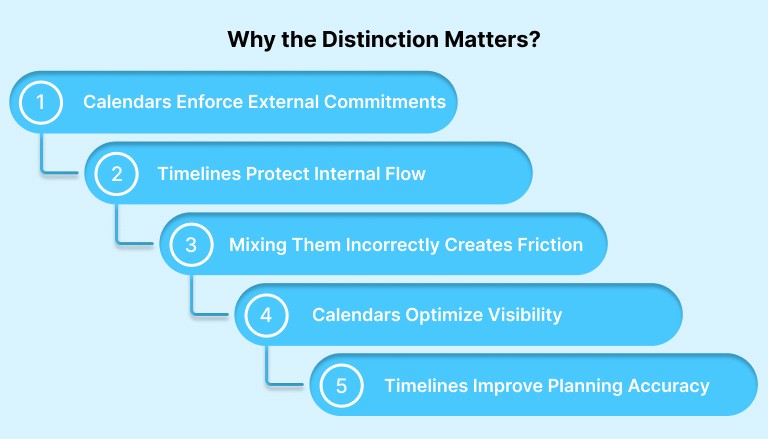
Calendars Enforce External Commitments: A calendar protects time that is already promised to others. Meetings, calls, and deadlines live here because they are fixed. The structure of a calendar creates accountability and ensures time-bound obligations are visible and respected.
Timelines Protect Internal Flow: A timeline helps you structure how work progresses across hours, days, or weeks. It supports deep work by clarifying sequence, duration, and dependencies. This reduces mental switching and preserves cognitive momentum.
Mixing Them Incorrectly Creates Friction: When tasks meant for flexible sequencing are treated like fixed appointments, your calendar becomes overcrowded. This leads to constant rescheduling, fragmented focus, and schedule creep, meaning work expands beyond its intended time blocks.
Calendars Optimize Visibility, Not Sequence: A calendar displays what happens at specific times, but it does not explain how tasks relate to one another. Without a timeline, you may experience busy days without understanding the logical sequence of tasks or how one task affects another.
Timelines Improve Planning Accuracy: A timeline compels you to estimate duration and carefully consider execution steps. This improves forecasting, reduces last-minute rushes, and highlights bottlenecks early, making your daily and weekly plans more realistic and achievable.
Difference Between A Timeline and A Calender
While both tools help you manage time, they structure information differently and solve different planning challenges. The table below highlights the core distinctions, allowing you to determine which view to use in a given situation quickly.
Characteristic | Calendar | Timeline |
Primary Use | Schedule fixed commitments tied to specific dates and times. | Organize tasks in a logical sequence across a period of time. |
Best For | Meetings, appointments, calls, and external deadlines. | Projects, deep work sessions, and multi-step execution plans. |
Granularity | Structured around hours, days, and specific time slots. | Structured around duration, phases, and task progression. |
Flexibility | Less flexible because events are time-bound. | More flexible because tasks can shift while maintaining order. |
Common Problems if Misused | Overcrowding with flexible tasks leads to constant rescheduling. | Ignoring dependencies causes unrealistic project flow. |
Visual Cues to Look For | Grid layout divided by days and hourly blocks. | Linear or horizontal flow showing sequence over time. |
Also Read: Time Management Tips to Help Team Leaders Lead Smarter
Stop fighting your tools and start mastering your time. Akiflow bridges the gap between your task planning and your daily calendar by unifying them in one interface designed for realistic scheduling. Instead of jumping between apps, you can drag tasks directly into fixed time slots on your calendar to ensure they actually get done. Try Akiflow for free and sync your workflow seamlessly.
Use Cases by Persona
Different roles experience time differently. Some operate in meeting-heavy environments, while others rely on long stretches of uninterrupted execution. Understanding when to use a calendar and when to use a timeline depends largely on the type of work you do each day.
Below is how different professionals can apply both tools more effectively.
1. Founders and Executives
Leaders manage both strategic direction and constant external commitments. Their schedule is often fragmented, which makes clarity essential.
Use the Calendar for High-Stakes Commitments: Investor meetings, board reviews, hiring interviews, and partner calls belong on the calendar. These events are fixed and require punctuality and preparation within defined time slots.
Use a timeline for strategic initiatives: Product launches, fundraising processes, hiring roadmaps, and quarterly objectives benefit from a timeline view. Sequencing milestones reduces last-minute pressure and keeps strategic priorities moving forward.
Combine Both for Weekly Planning: Map long-term priorities on a timeline, then intentionally time-block execution sessions into the calendar to ensure strategic work does not get crowded out by meetings.
2. Developers and Designers
Makers rely on deep focus and uninterrupted cognitive flow. Their productivity depends more on execution rhythm than meeting density.
Use Timeline for Sprint Flow: Feature development, bug fixes, and design iterations require structured sequencing. A timeline clarifies task dependencies and prevents context switching between unrelated work streams.
Use the Calendar for Fixed Rituals: Standups, sprint reviews, demos, and release windows belong on the calendar. These are time-bound events that coordinate collaboration across the team.
Protect Deep Work with Time Blocking: After mapping sprint tasks on a timeline, block focused sessions on the calendar to protect uninterrupted development time.
3. Sales and Marketing Professionals
Revenue teams balance external conversations with campaign execution. They need visibility into both real-time interactions and longer campaign arcs.
Use the Calendar for Client Interactions: Sales calls, demos, discovery meetings, and follow-ups should live on the calendar to ensure timely communication and accountability.
Use a Timeline for Campaign Planning: Product launches, email sequences, paid ads, and content calendars benefit from timeline sequencing. It helps coordinate messaging phases and launch deadlines.
Align Campaign Flow with Availability: Plan campaign milestones on a timeline first, then allocate execution blocks on the calendar to avoid overbooking during launch periods.
4. Freelancers and Remote Workers
Independent professionals must self-manage both client expectations and production capacity. Clear structure prevents burnout and missed deadlines.
Use the Calendar for Client-Facing Time: Calls, presentations, consultations, and review meetings should be scheduled on the calendar to maintain professionalism and reliability.
Use a Timeline for Deliverables: Projects with multiple milestones, drafts, and revisions should be mapped on a timeline to clarify workload distribution across days or weeks.
Balance Execution and Availability: After sequencing project work on a timeline, reserve protected focus blocks on the calendar to ensure deliverables move forward without constant interruptions.
Also Read: Why an All-in-One Digital Planner Works Better Than Multiple Apps
Practical Workflow: How to Use Both Together
Using a timeline and a calendar together creates a system that protects both commitments and deep work. The goal is simple: capture everything, clarify what is fixed, sequence what is flexible, then intentionally allocate time.
Follow this five-step process to combine both views effectively:
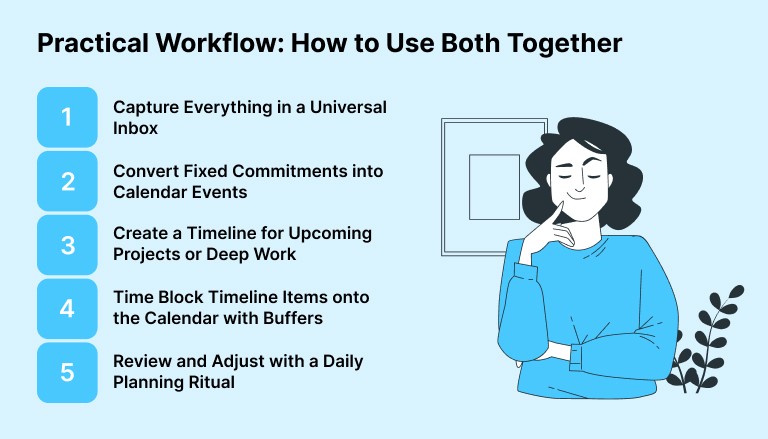
Step 1: Capture Everything in a Universal Inbox
Start by collecting all tasks, ideas, and requests in one place. Avoid deciding immediately where they belong. First, centralize inputs from email, chat, and notes so nothing slips through.
Step 2: Convert Fixed Commitments into Calendar Events
Identify tasks that must happen at a specific time, such as meetings, calls, or deadlines. Schedule these directly on your calendar so they become protected, time-bound commitments.
Step 3: Create a Timeline for Upcoming Projects or Deep Work
For work that involves multiple steps or sustained focus, map tasks in sequence on a timeline. This clarifies order, duration, and dependencies before you assign them to specific time slots.
Step 4: Time Block Timeline Items onto the Calendar with Buffers
Once tasks are sequenced, allocate focused blocks on your calendar to execute them. Add small buffer periods between blocks to prevent spillover and reduce context switching.
Step 5: Review and Adjust with a Daily Planning Ritual
Spend ten minutes at the end of each day reviewing progress. Shift unfinished timeline items, rebalance calendar blocks, and prepare tomorrow’s plan so you begin the next day with clarity.
A productivity tool like Akiflow can help by letting you convert inbox items into scheduled tasks and drag them directly onto your calendar, reducing friction between planning and execution.
Essential Tools for Calendars and Timelines
Calendars and timelines serve distinct yet complementary roles in productivity: calendars anchor daily execution with time-specific events, while timelines map project phases and milestones for strategic oversight. The best tools bridge these by integrating task sequencing with real-time scheduling, reducing silos, and enhancing workflow visibility.
Tools like Akiflow stand out by unifying tasks and calendars into one planning interface, helping users realistically schedule work. Akiflow’s universal inbox and drag-and-drop time slots exemplify seamless blending, helping users assign tasks to calendar slots for effortless planning.
Conclusion
Mastering the balance between your calendar and your timeline is the ultimate productivity power move. Instead of letting a crowded schedule dictate your stress levels, you can use these tools together to create a realistic roadmap for success. When you stop treating flexible tasks like rigid appointments, you reclaim the mental space needed for deep work and high-level strategic growth.
Ready to stop the endless reshuffling? Akiflow provides the perfect bridge by unifying your tasks and schedule into one seamless interface. It allows you to transform your task plans into actionable calendar blocks with simple drag-and-drop scheduling.
Visit Akiflow to streamline your planning and finally take full control of your time.
Frequently Asked Questions
1. What is the main difference between a calendar and a timeline?
A calendar tracks specific dates and times for fixed appointments, whereas a timeline maps out the logical order and duration of tasks within a project.
2. Can I use a calendar as a timeline?
You can, but it’s often messy. Calendars lack the ability to show task dependencies and project flow, which usually leads to cluttered schedules and confusion.
3. Which tool is better for project management?
Use a timeline for planning project phases and sequences. Then, use a calendar to block out dedicated time slots to actually execute those specific tasks.
4. What are “dependencies” in a timeline view?
Dependencies are tasks that must be finished before the next one starts. Timelines visualize this flow, ensuring you don’t schedule work out of logical order.
5. How does Akiflow help manage both effectively?
Akiflow integrates both by letting you move tasks from your inbox or task list into fixed calendar slots for execution, eliminating friction between planning and execution.


