Summary
Use your calendar as a control center for finite time, not a record of meetings. Scheduling work closes the gap between what matters and when it will actually happen.
Start by auditing the last one or two weeks, then set work-hour rules and block priority work first with specific titles, realistic durations, and room to move flexible blocks.
Keep a universal inbox, batch meetings, protect buffers and deep work, and review each week so overload, vague plans, and constant interruptions do not quietly take over your schedule.
Most professionals treat their calendars as mere graveyards for meetings, passive records of where their time went rather than blueprints for where it should go. Time is a finite resource, and your calendar is the only system that reflects its real limits. While a task list reflects your intentions, a calendar shows what is realistically possible. When you fail to bridge the gap between “what” needs to be done and “when” it will happen, you surrender your focus to the loudest distractions of the day.
The shift from reactive task management to proactive scheduling is the hallmark of high-performance execution. By transforming your calendar into a “control center,” you move beyond the chaos of constant interruptions and toward a structured environment where deep work and priorities are protected by design. This intentional approach provides the visibility necessary to prevent overcommitment and the accountability required to turn abstract intentions into tangible results.
In this guide, you’ll learn how to use your calendar for effective time management, starting with a time audit and clear rules for scheduling work.
Why Calendar-Based Time Management Works?
Calendars do much more than record meetings. When used intentionally, they become a powerful system for managing time because they show when work actually happens, not just what needs to be done.
A task list tells you what to do. A calendar tells you when you will do it. This distinction is important because unscheduled tasks compete endlessly for attention, while scheduled work becomes actionable.
Here is how scheduled tasks help:
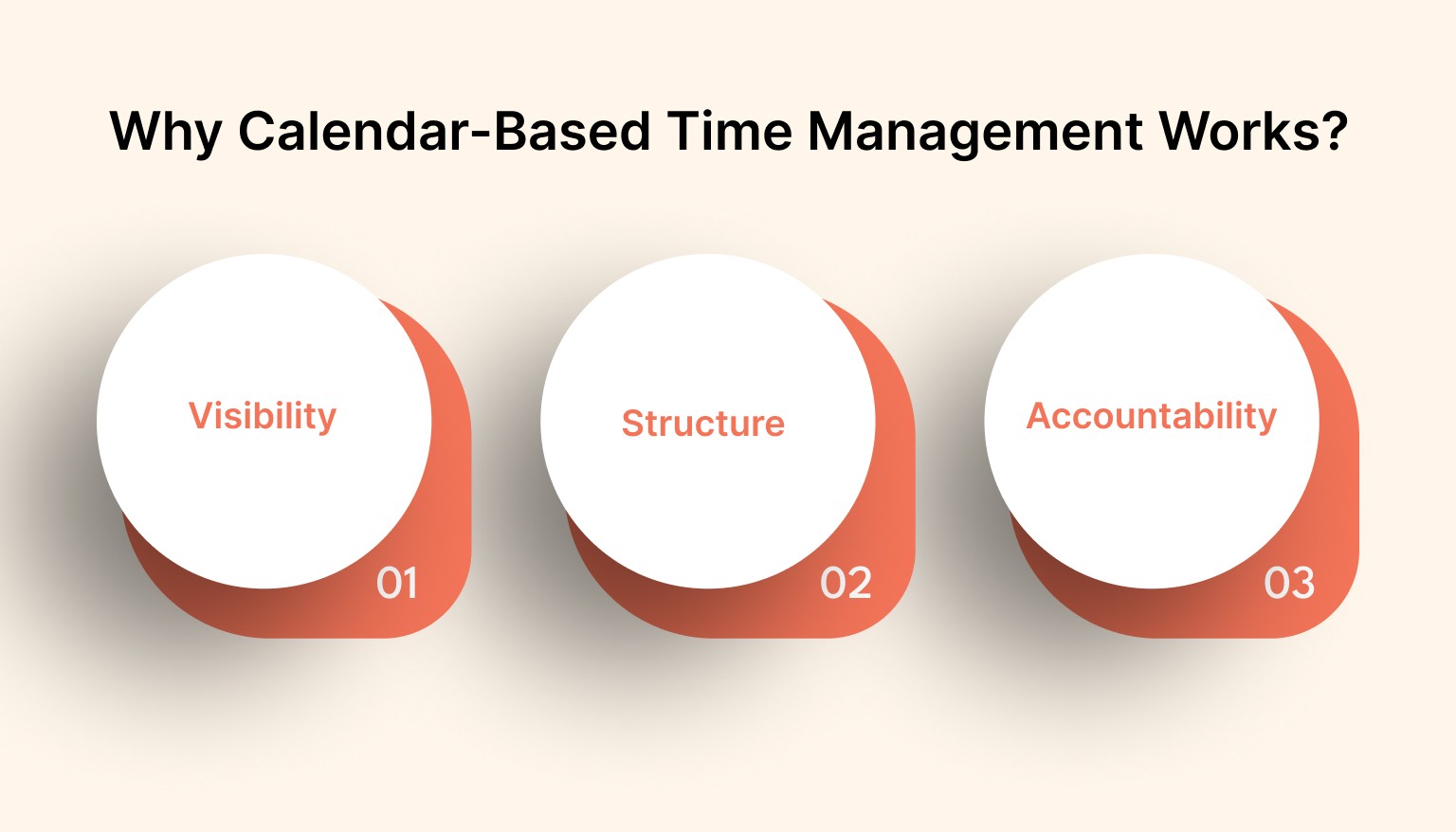
Visibility: When your work is placed on a timeline, you can clearly see how much time is available, where your hours are going, and whether your plans are realistic. This prevents overcommitment and exposes time gaps or overloads early.
Structure: By planning your day in advance, you move away from reacting to interruptions. Focus work, meetings, admin tasks, and breaks each have a defined space, which reduces chaos and mental fatigue.
Accountability: A task sitting on a list can be ignored. A task scheduled for a specific time becomes a commitment. This increases follow-through and helps turn intentions into action.
Time blocking supports all three benefits by reserving specific blocks of time on your calendar for focused work, routines, or responsibilities. Instead of hoping time appears, you deliberately assign it.
When used this way, a calendar becomes more than a planning tool. It becomes the control center for your focus, priorities, and daily execution.
Reactive Task Lists Versus Proactive Scheduling
Reactive task lists keep you in response mode, with tasks added as they appear throughout the day. You add tasks throughout the day, grab whatever seems urgent, and shift attention constantly.
Proactive scheduling [placing tasks on your calendar at specific times in advance] changes the game. Instead of asking “What should I do next?” you decide ahead of time when each task will happen.
Take a look at the difference between Reactive Task Lists and Proactive Scheduling:
Aspect | Reactive Task Lists | Proactive Scheduling |
Time context | No clear sense of when tasks will be done | Time is explicitly assigned on the calendar |
Prioritization | Hides real tradeoffs between tasks | Shows what must move or be removed when something new is added |
Focus | Encourages frequent task switching | Protects attention through dedicated time blocks |
Accountability | Tasks can be ignored or postponed | Calendar entries act as firm commitments |
Predictability | Creates unpredictable and rushed days | Creates structured and manageable days |
Also Read: How to Use Daily Reminders Without Getting Notification Fatigue
How to Use Your Calendar for Effective Time Management
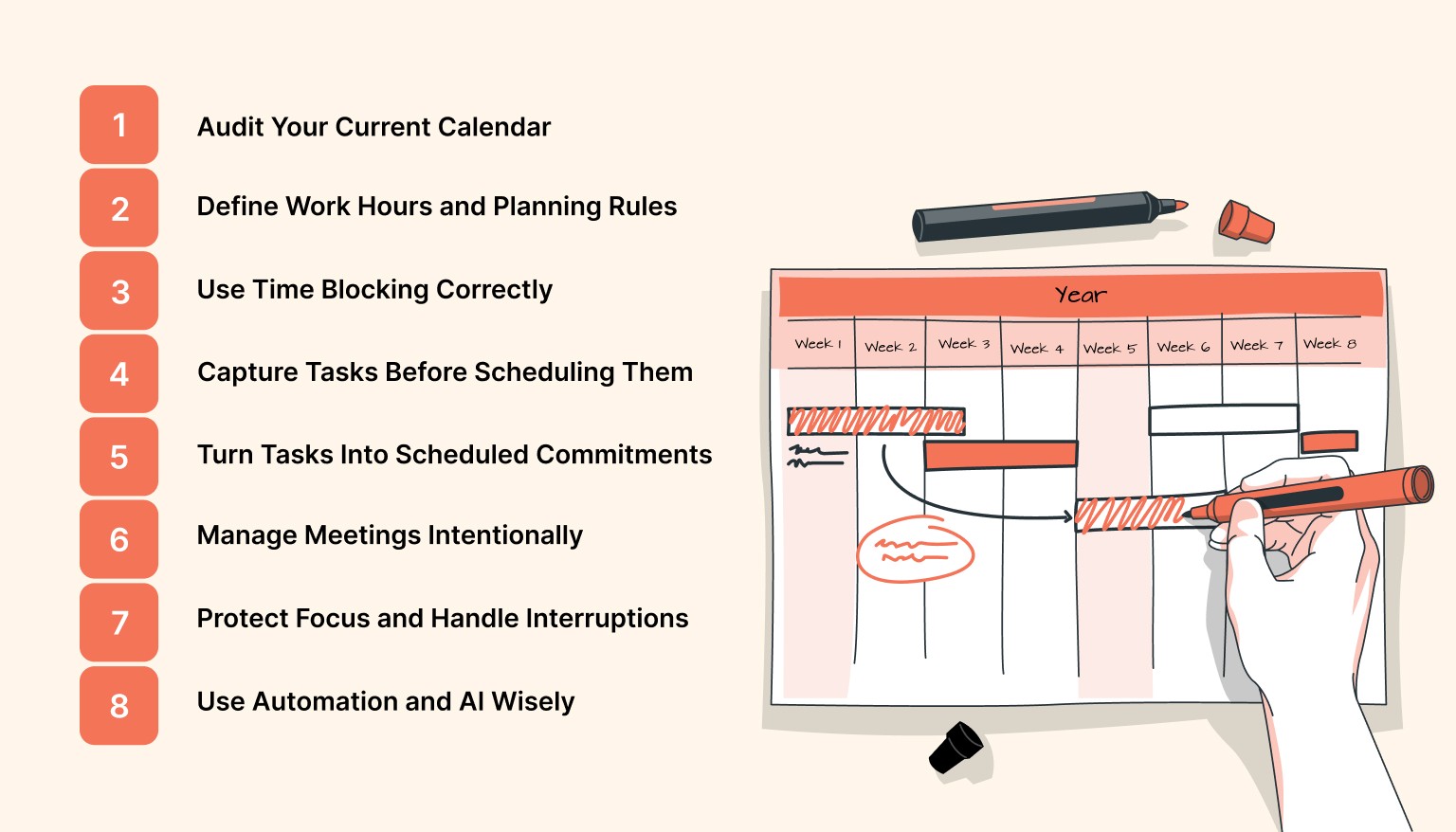
Using your calendar intentionally allows you to plan work proactively instead of reacting to daily demands. By scheduling tasks, meetings, and focus time in advance, you gain clarity, reduce overload, and improve follow-through. A calendar becomes a planning tool that protects priorities and creates structure in your day.
Here is how to use your calendar for time management:
Step 1: Audit Your Current Calendar
Before improving your time management, you need to understand how your time is currently being used. Start by reviewing your calendar from the past one or two weeks.
Look closely at where your hours actually went. Identify time spent in meetings, focused work, administrative tasks, and unplanned distractions. Many people are surprised to see how little time is reserved for meaningful work.
Pay attention to repeating patterns. Too many back-to-back meetings, long empty gaps followed by overload, or constant context switching are all signs of poor calendar structure. If your calendar feels crowded but progress feels slow, this audit will show you why.
The goal is not to judge your schedule but to gain clarity. Once you see how your time is truly spent, you can begin reshaping it intentionally.
Step 2: Define Work Hours and Planning Rules
Clear work hours create boundaries and reduce daily decision fatigue. When your start and end times are defined, planning becomes simpler and distractions become easier to manage.
Set realistic working hours based on your energy levels. Decide when meetings are allowed and when focus time should be protected. For example, limiting meetings to specific windows during the day helps prevent fragmentation.
Create simple scheduling rules, such as limiting meetings per day or reserving mornings for deep work. These rules remove the need to renegotiate your schedule every morning.
For remote teams, multi-time zone planning is essential. Establish shared overlap hours so collaboration happens smoothly without forcing anyone into unhealthy schedules.
Step 3: Use Time Blocking Correctly
Time blocking is one of the most effective ways to bring structure to your calendar [time blocking means assigning specific blocks of time for focused work, tasks, or routines].
Start with weekly planning. Look at upcoming priorities and block time for important work before filling the calendar with meetings. This ensures your highest impact tasks are not pushed aside.
Name each block clearly. Instead of vague titles like “work,” use specific labels such as “write project proposal” or “review client feedback.” Assign a simple goal, so you know exactly what success looks like for that block.
It is also important to understand flexibility. Fixed commitments, such as meetings, stay locked, while flexible blocks can move if priorities shift. This balance keeps your schedule realistic without becoming rigid.
Step 4: Capture Tasks Before Scheduling Them
Trying to schedule tasks the moment they appear creates mental overload. Instead, capture everything first.
Use a universal inbox [a single place where all tasks, ideas, and requests are collected]. This allows your brain to relax, knowing nothing will be forgotten.
Once tasks are captured, review them calmly during planning time. Decide what is urgent, what can wait, and what does not need to be done at all.
Only tasks that require focused effort or meaningful time should move onto your calendar. Capturing first and scheduling later keeps planning intentional rather than reactive.
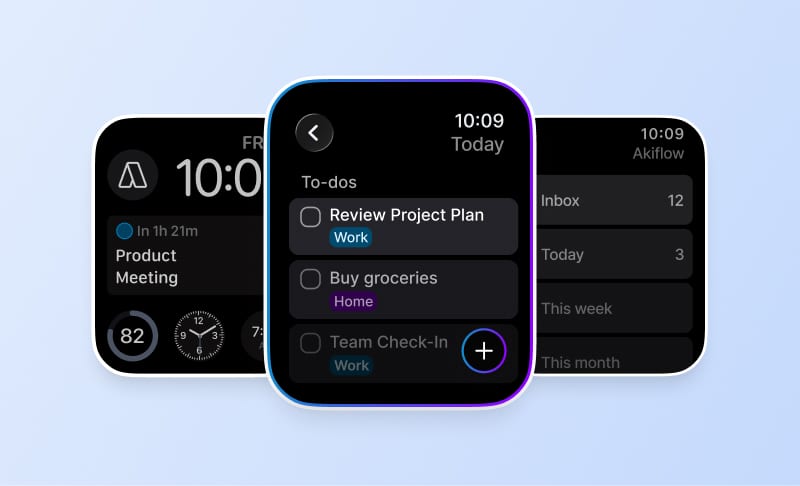
Stop toggling between your inbox and your schedule. Experience the power of a unified workspace by centralizing your tasks and calendar into a single, high-performance interface. Start your free trial with Akiflow today.
Step 5: Turn Tasks Into Scheduled Commitments
Not every task belongs on a list. When something requires more than a few minutes of attention, it deserves dedicated calendar time.
As a general guideline, tasks that require sustained focus should be scheduled on your calendar. This prevents important work from being endlessly postponed.
Estimate duration realistically. Most people underestimate how long tasks take. Add buffer time so your schedule remains achievable even when things run longer than expected.
Scheduled tasks are more likely to be completed because they have a defined place in your day. They stop being intentions and start becoming commitments.
Step 6: Manage Meetings Intentionally
Meetings are often the biggest source of calendar overload. Without structure, they fragment the day and drain focus.
Batch meetings together whenever possible. Grouping calls into specific windows preserves long stretches of uninterrupted time for deep work.
Every meeting should have a clear agenda and expected outcome. If the purpose is unclear, the meeting often is unnecessary.
Shared availability and booking links simplify coordination. They reduce back-and-forth emails and ensure meetings fit naturally into your existing schedule.
Step 7: Protect Focus and Handle Interruptions
Even the best calendar will fail if focus is constantly broken. Protecting attention is just as important as planning time.
Use buffer blocks between meetings to reset and avoid spillover. Enable focus modes and limit notifications during deep work sessions.
When unexpected requests appear, avoid immediately rearranging your day. Capture the request first, then decide during your next planning moment where it truly belongs.
This approach allows you to stay flexible without losing control of your schedule.
Step 8: Use Automation and AI Wisely
Recurring tasks, repeating routines, and automatic imports remove manual planning work.
Automation reduces the effort required to maintain your calendar by handling recurring tasks, reminders, and routine scheduling. When used thoughtfully, it supports consistency without taking control away from you.
The goal is not to automate everything. The goal is to free up mental space so you can focus on meaningful work rather than administrative overhead.
When automation handles the small details, your calendar stays accurate, reliable, and easy to maintain.
Weekly Review Habit
A weekly review is a short, focused ritual that keeps your calendar working for you rather than against you. Spend 30 to 60 minutes each week to compare what you planned with what actually happened, clear your inbox, and set priorities for the next week. This regular cadence prevents small scheduling problems from becoming big ones and keeps your system in sync with changing priorities.
A simple review routine looks like this. First, scan your past week, and note which blocks you completed and which you did not. Next, clear or triage items from your universal inbox [a single place that holds tasks, ideas, and requests]. Finally, preblock the coming week with your highest priorities and any fixed commitments.
Make sure to track the following metrics:
Planned Blocks Completed: The percentage of calendar blocks you scheduled that you actually executed. A rising percentage means your planning is realistic.
Deep Work Hours: Total hours spent in focused, uninterrupted work. Aim to increase this or keep it steady week to week.
Meeting Load: Number of meetings or total meeting hours per week. If this grows, you may need to batch or reduce meetings.
Make one small improvement each week, and you will compound gains over time. Examples include adding a 30-minute deep work block, removing one low-value meeting, or creating a reusable template for a recurring task. Run your weekly review inside the tools you already use, such as your calendar or a task manager like Akiflow, so adjustments carry forward into the next week seamlessly.
Also Read: Time Management Tips to Help Team Leaders Lead Smarter
Common Calendar Mistakes and How to Fix Them
Common calendar mistakes often include over-scheduling, unrealistic time estimates, vague planning, and too many meetings. These issues reduce focus and increase stress. By setting clear rules, using realistic time blocks, protecting focus time, and reviewing your schedule weekly, you can build a calendar that supports productivity instead of working against it.
Most common mistakes to avoid are:
Over-scheduling leads to constant context switching and burnout: Fix it by setting a meeting cap per day and batching calls into specific windows. Reserve at least one long block for focused work each day.
Creating unrealistic blocks makes plans fail: Fix it by estimating duration more conservatively and adding a 15 to 30 minute buffer after large tasks or meetings. Treat time estimates as commitments, not wishes.
Using vague block titles reduces focus: Fix it by naming blocks with clear outcomes, for example, “Draft Proposal: first 1,000 words” or “Emails: triage and reply for 30 minutes.” A clear goal improves completion rates.
Ignoring your inbox and reviews causes plans to drift: Fix it by keeping a universal inbox [a single place that captures tasks and requests] and running a weekly review to triage items into the calendar or archive them.
Letting meetings spread the whole day fragments deep work: Fix it by protecting meeting free zones or a no meetings half day. Use shared booking windows so external meetings land in the times you allow.
Not protecting buffers or transitions makes the day feel chaotic: Fix it by preblocking short buffers between commitments and scheduling reset time after long meetings. Small gaps reduce spillover and preserve focus.
Conclusion
Mastering your calendar is not about restricting your freedom; it is about creating the structure necessary for your most important work to flourish. By transitioning from a reactive mindset to a proactive scheduling system, you reclaim ownership of your finite hours and reduce mental fatigue from constant decision-making.
Consistency is the ultimate catalyst for productivity, and a well-managed calendar ensures your daily actions remain perfectly aligned with your long-term professional ambitions.
To make this process easier, consider using a tool that connects tasks and your calendar in one place. Tools like Akiflow help bring tasks and calendars together so planning stays realistic and priorities remain visible.
Frequently Asked Questions
Should every task go on your calendar?
Schedule work that needs sustained focus or more than a few minutes. Keep short tasks out of your main timeline until planning time. Capture them in one inbox, then batch them into a dedicated block. That keeps your calendar reserved for meaningful work instead of becoming a cluttered wish list.
What should you do when a planned block gets interrupted?
Do not delete the block or instantly reshuffle your whole day. Capture the interruption first, keep working if possible, and decide at your next planning moment where that request belongs. If the block is broken, move it to the next available opening. Short buffers between commitments make this recovery easier.
How often should you audit and review your calendar?
Start with an audit of the past one or two weeks so you can see where time actually went. After that, keep a weekly review. Spend 30 to 60 minutes checking which blocks happened, clearing your inbox, and preblocking next week. A brief weekly audit helps catch recurring distractions before they become your default schedule.
How do you keep meetings from taking over the day?
Set hard rules for when meetings can happen, then batch them into specific windows. Cap how many you allow in a day, protect at least one long focus block, and use no-meeting zones if needed. Require a clear agenda and expected outcome, and use booking windows so external requests land only in times you choose.
What makes a time block realistic enough to trust?
Block your highest priorities before meetings fill the week, and label each block with a concrete outcome, not a vague category. Estimate more conservatively than you want to, add buffers after bigger tasks, and treat fixed commitments differently from flexible ones. A block works when you know exactly what belongs there and whether it can move.