Skip to content
Akiflow vs Notion Calendar

Which productivity tool
suits you best?

Explore the features and benefits of Akiflow and Notion Calendar to determine which tool enhances your productivity the most

  • Akiflow is designed in Italy
  • Backed by Y Combinator

Trusted by 10.000+ of ambitious professionals to be more productive — from companies like

Founders and doers switch to Akiflow
cause it's more than a simple app

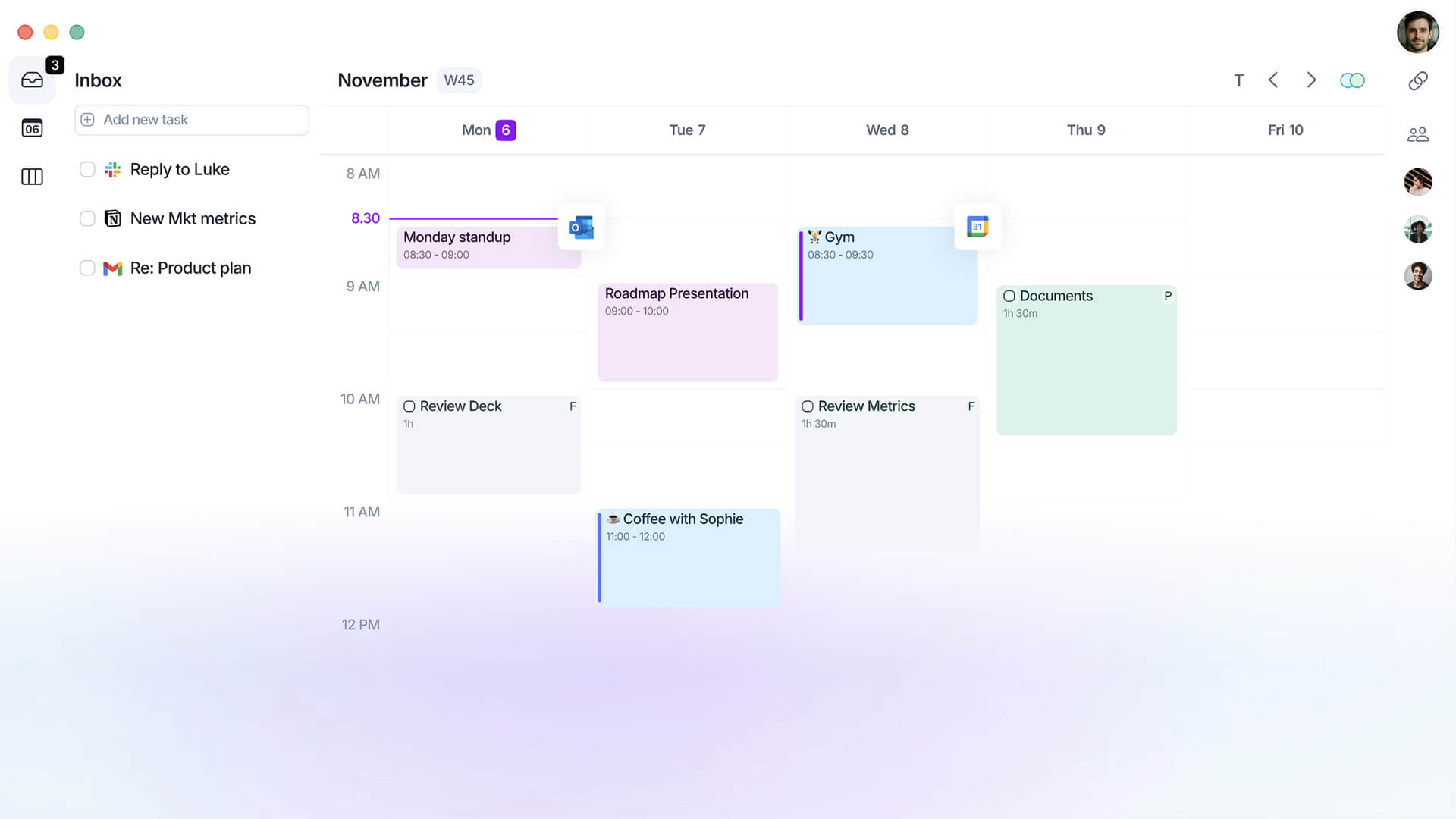
Thanks to an intuitive Calendar UI, and distinctive features built on a solid methodology

  • Universal Inbox

    A Second Brain, with 10+ native integrations.

  • Advanced Command Bar

    The faster and intuitive, to get things done with Natural Language.

  • Offline mode

    That keeps your flow uninterrupted, even offline.

  • AI Executive Assistant

    To manage tasks and calendars with superpowers.

Akiflow is designed for clarity.
Built for speed.

Akiflow is designed for clarity. Built for speed.
Features Akiflow Notion Calendar
Calendar
Tasks
Quick Capture No
Daily Routines
Recurring Tasks
Prioritize Tasks No
Labels No
List / Categories
Time slots No
Availability slots
Due Date
Shortcuts / Hotkeys
Analytics on Productivity / Tasks No
Google Calendar Integration
Outlook Calendar Integration No
Desktop Version
Mobile App
Zapier and IFTTT Integrations No
Integrations APPs
Team Features
AI No
2 Way Sync
Emails Into Tasks No
Try Akiflow for free

7 days free with Aki. Cancel anytime.

Try Akiflow for free

7 days free with Aki. Cancel anytime.

Apple Watch and iCloud comparison

Compare the Apple workflow, not just an integration badge. A native Notion Calendar Apple Watch app was not established by the official documentation reviewed. An iOS calendar app does not itself prove native Watch support. Notion Calendar documents Apple iCloud account connections using an app-specific password, alongside Google Calendar support.

FeatureAkiflowNotion Calendar
Apple WatchNative capture and completionNot confirmed in reviewed docs
iCloud CalendarDirect two-way event connectionDirect iCloud connection

What should I check before switching?

A native Notion Calendar Apple Watch app was not established by the official documentation reviewed. An iOS calendar app does not itself prove native Watch support. Notion Calendar documents Apple iCloud account connections using an app-specific password, alongside Google Calendar support.

What are Akiflow's Apple setup limits?

The Watch companion captures and completes tasks and shows current/up-next information; it does not edit or reschedule tasks. It requires watchOS 10+ and a paired iPhone with Akiflow 2.83+. iCloud sync is periodic and covers calendar events, not Apple Reminders. Lock a task or Time Slot to publish it to an editable calendar.

Reviewed October 17, 2026. Unconfirmed means the official sources reviewed do not establish support; it does not prove that a feature is absent.

Official documentation: Notion Calendar documentation; Akiflow Apple Watch; Akiflow iCloud Calendar.

Akiflow Calendar testimonial Natalie

"I have been using the software daily for the last several weeks and have noticed an improvement in my overall productivity."

Read full review by Natalie

Akiflow is perfect for professional and teams

Migrate your framework from
Notion Calendar

Let our experts help you get the job done.
Sign up and Book an onboarding call for free.

  • Create your projects

    It's just an easy step of the onboarding

  • Connect tools & calendars

    Set rules to import tasks, dates, assignee and statuses

  • Organize tasks

    Drag & drop them into your projects to organize them

  • Enjoy Akiflow

    With events and tasks planned, and Aki ready to automate the flow.

Try Akiflow for free

7 days free with Aki. Cancel anytime.

What Akiflow users say

F.A.Q.

How easy is it to migrate data to Akiflow?

It’s very easy and takes only a few moments. And as soon as you sign up for Akiflow, you can also book a free onboarding call with our Customer Support team. They’ll help you set up the app, build your workflows, and apply the best productivity methodology.

Does Akiflow support the same integrations?

Akiflow supports 10+ native integrations, including Google and Outlook/Microsoft Workspace, Notion, Jira, Slack, ClickUp, Trello, Zoom, Todoist, GitHub, Linear, and Teams. You can also connect additional tools through Zapier or IFTTT.

Is Akiflow free?

Akiflow is free for 7 days and includes Aki, the AI Executive Assistant.

Do you offer discounts?

Yes, Akiflow offers discounts for students. If you belong to any of these categories, please reach out to us for a discount by sending an email to support@akiflow.com. We'll be happy to assist you with the discounted pricing.

Additionally, we offer a yearly pricing plan that provides a 40% savings compared to the total cost of monthly pricing over a year. This is another great way to take advantage of our services at a reduced rate.

Try Akiflow for free

7 days free with Aki. Cancel anytime.

Our users save up to 2 hours /day

Try Akiflow today and experience a smarter way to manage your tasks and meetings.

Try Akiflow for free

7 days free. Cancel anytime.