Turn tasks into a realistic daily schedule

Turn tasks into a realistic daily schedule

Bring tasks and calendars together, reserve time for priorities, and adjust the plan when your day changes.

7 days free with Aki. Cancel anytime.

Trusted by 10,000+ C-levels and tech professionals that value their time and productivity

Unlock the Power of Time Blocking
Plan your day with precision and focus, ensuring you stay on track and meet all your deadlines effortlessly.
Capture Tasks
Plan Your Schedule
Execute Effortlessy
Capture Tasks
Plan Your Schedule
Execute Effortlessy
Capture Tasks
Plan Your Schedule
Execute Effortlessy

7 days free with Aki. Cancel anytime.
Why should you use Time Blocking?
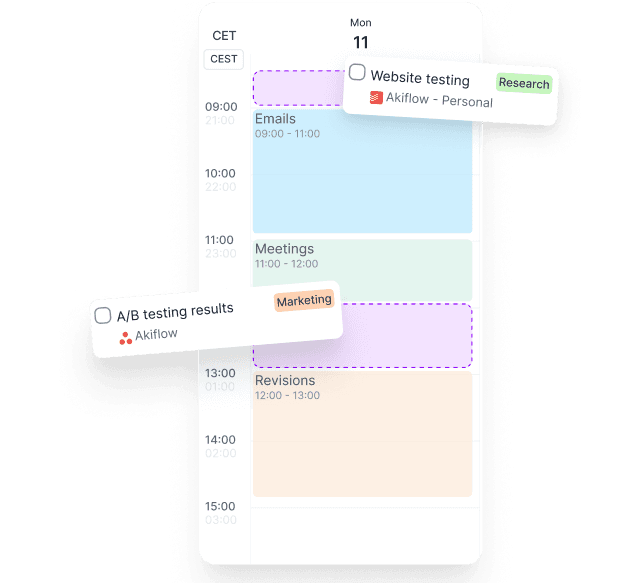
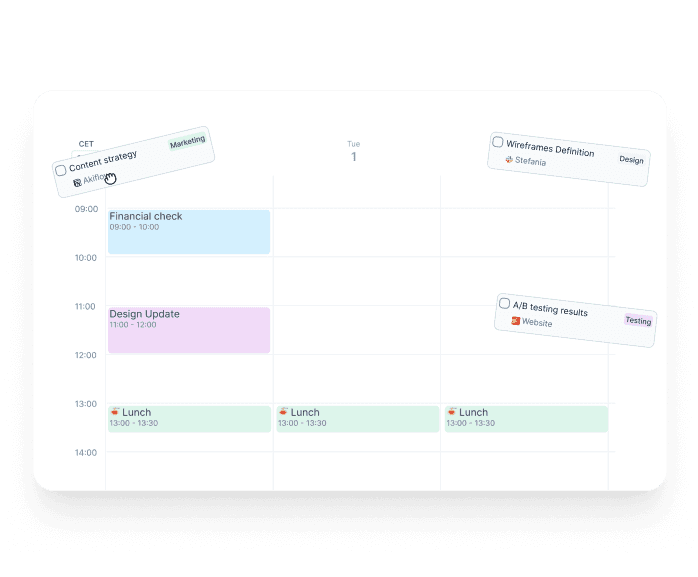
Drag-and-Drop Scheduling
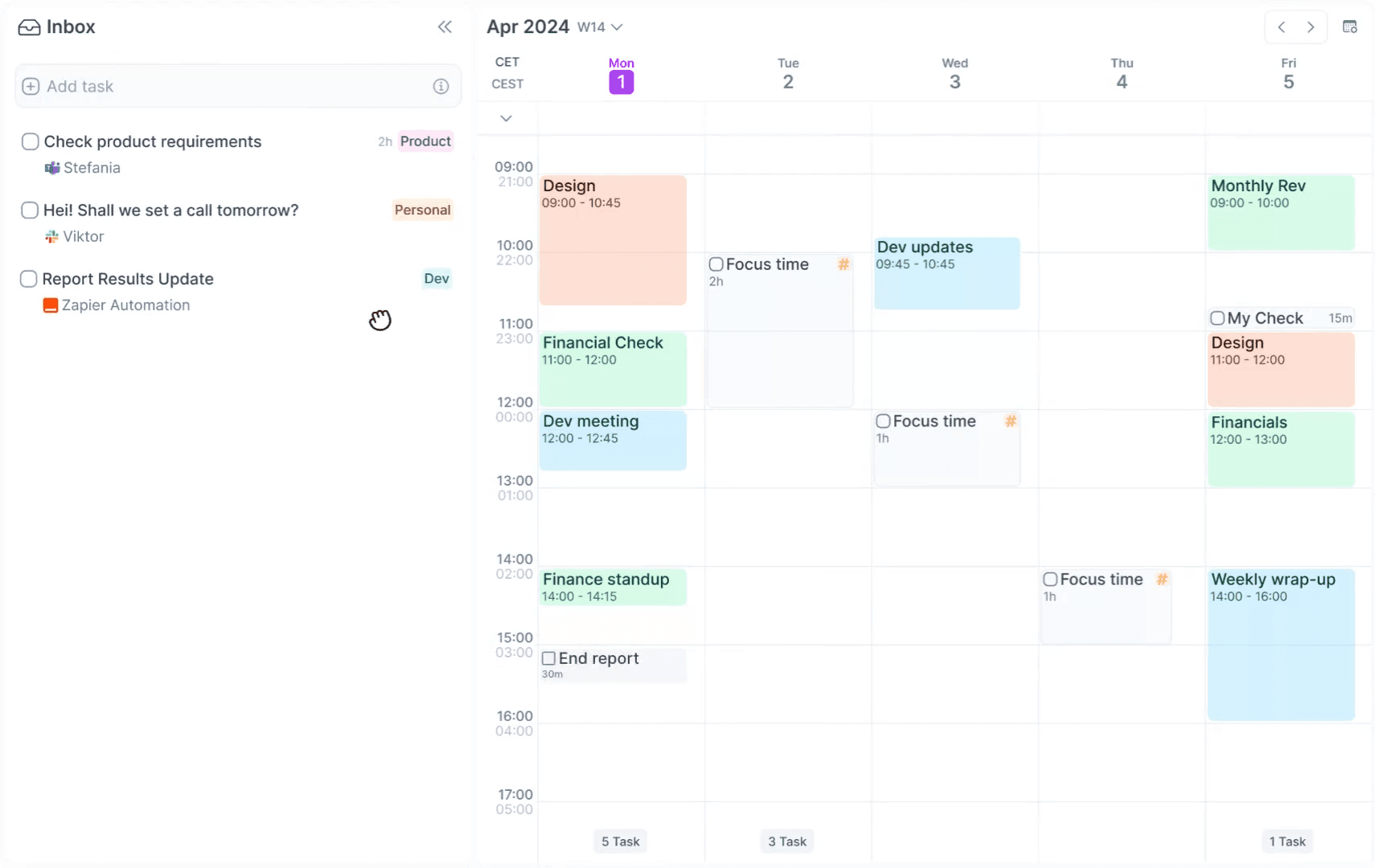
Easily organize your tasks by dragging and dropping them into your calendar.
Drag-and-Drop Scheduling
Easily organize your tasks by dragging and dropping them into your calendar.

Quickly adjust your schedule based on changes.

Visualize your day and ensure optimal task distribution.

Easily reschedule tasks to fit your changing priorities.

Integrated Task and Calendar Management
Manage all your tasks and appointments from one platform, seamlessly syncing with your Calendar.
Integrated Task and Calendar Management
Manage all your tasks and appointments from one platform, seamlessly syncing with your Calendar.

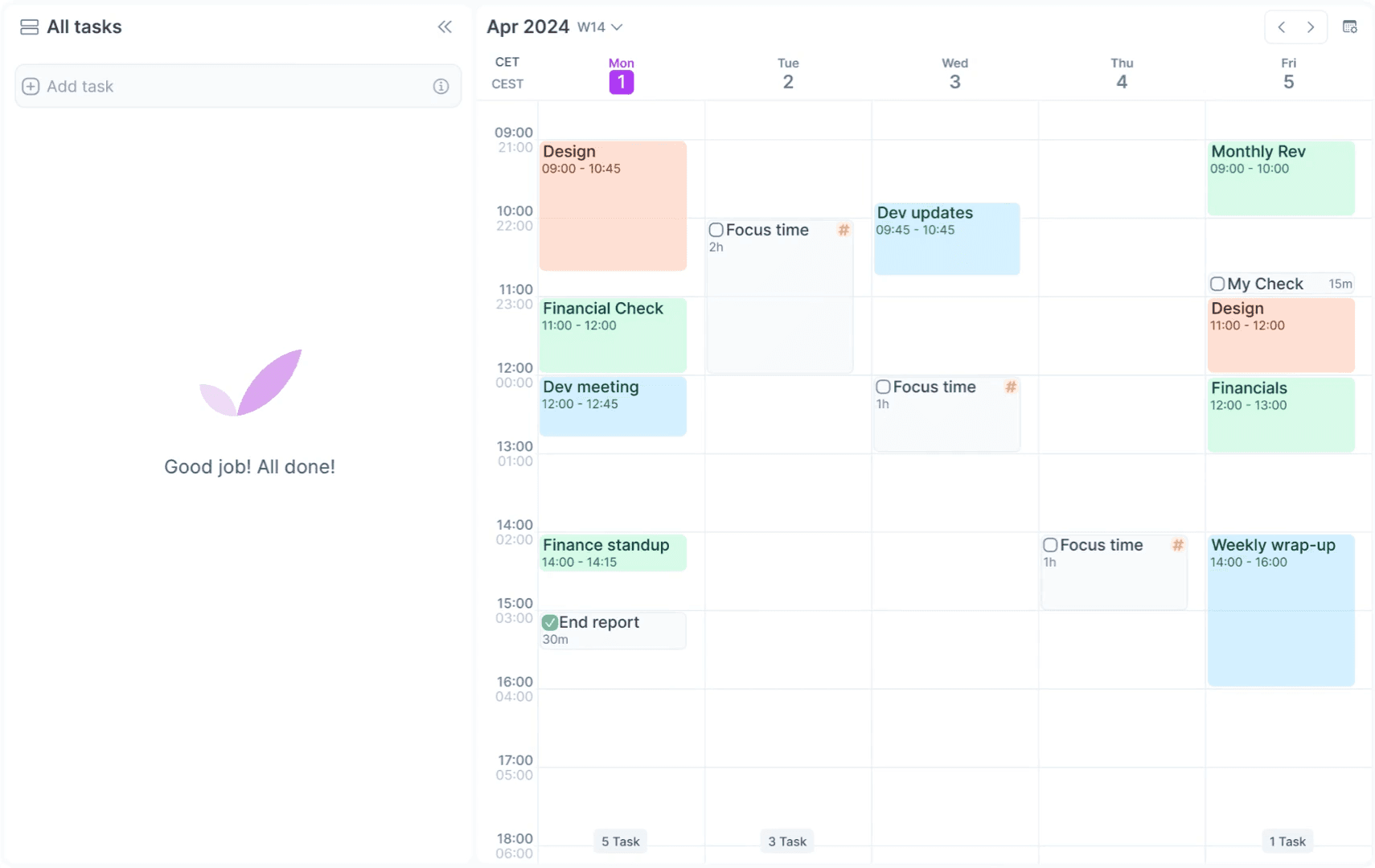
Consolidate all your tasks and meetings in one place.

Avoid double bookings and get time back.

Keep your workflow smooth with real-time updates.

Focus on demand
Focus on demand
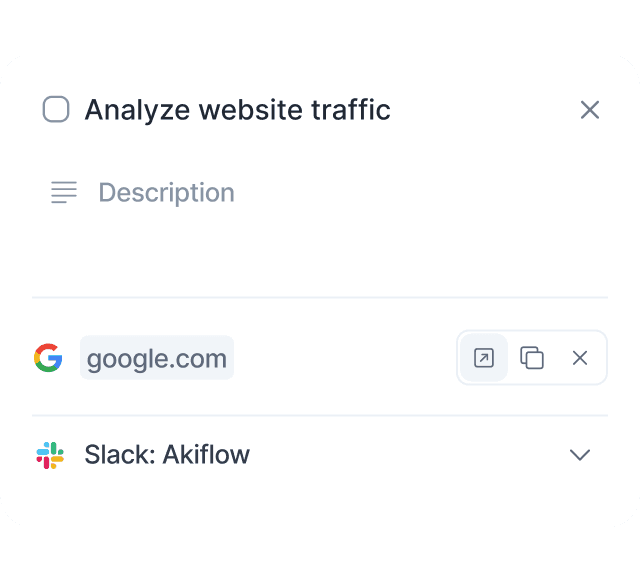
Eliminate distractions and focus on one task at a time, boosting your efficiency and output.
Focus on demand
Focus on demand
Eliminate distractions and focus on one task at a time, boosting your efficiency and output.

Maintain deep focus without the distractions.

Complete high-priority tasks more efficiently.

Reduce stress by focusing to each task.

7 days free with Aki. Cancel anytime.
What customers are saying
Jonathan
I have used Asana, Click Up, Monday and Notion, and of all the tools, Akiflow is the best for me right now. And that's because of two main things. One is the integration between calendar and tasks being super seamless and other is because of the freaking keyboard shortcuts. There's a keyboard shortcut for everything, and I love that. So that makes it very easy to use. Thank you so much, Akiflow team, for making this incredible piece of software.

Jonathan Leung

Full Stack Engineer

Celina Mukarker

VC

Francesca Marano

Associate Director

7 days free. Cancel anytime.

What customers are saying
Jonathan
I have used Asana, Click Up, Monday and Notion, and of all the tools, Akiflow is the best for me right now. And that's because of two main things. One is the integration between calendar and tasks being super seamless and other is because of the freaking keyboard shortcuts. There's a keyboard shortcut for everything, and I love that. So that makes it very easy to use. Thank you so much, Akiflow team, for making this incredible piece of software.

Jonathan Leung

Full Stack Engineer

Celina Mukarker

VC

Francesca Marano

Associate Director

7 days free. Cancel anytime.

What customers are saying
Jonathan
I have used Asana, Click Up, Monday and Notion, and of all the tools, Akiflow is the best for me right now. And that's because of two main things. One is the integration between calendar and tasks being super seamless and other is because of the freaking keyboard shortcuts. There's a keyboard shortcut for everything, and I love that. So that makes it very easy to use. Thank you so much, Akiflow team, for making this incredible piece of software.

Jonathan Leung

Full Stack Engineer

Celina Mukarker

VC

Francesca Marano

Associate Director

7 days free. Cancel anytime.

What is time blocking?

Time blocking is the practice of reserving a specific part of your calendar for a task or category of work. In Akiflow, tasks and meetings live in the same daily view, so you can see whether the plan actually fits before the day begins.

What Akiflow costs

Akiflow Pro costs $34 per month, or $19 per month billed yearly ($228 per year). The 7-day trial requires a card and there is no free plan. Time blocking, calendar connections, task integrations, Aki, and the hosted MCP server are included in Pro.

How to time block with Akiflow

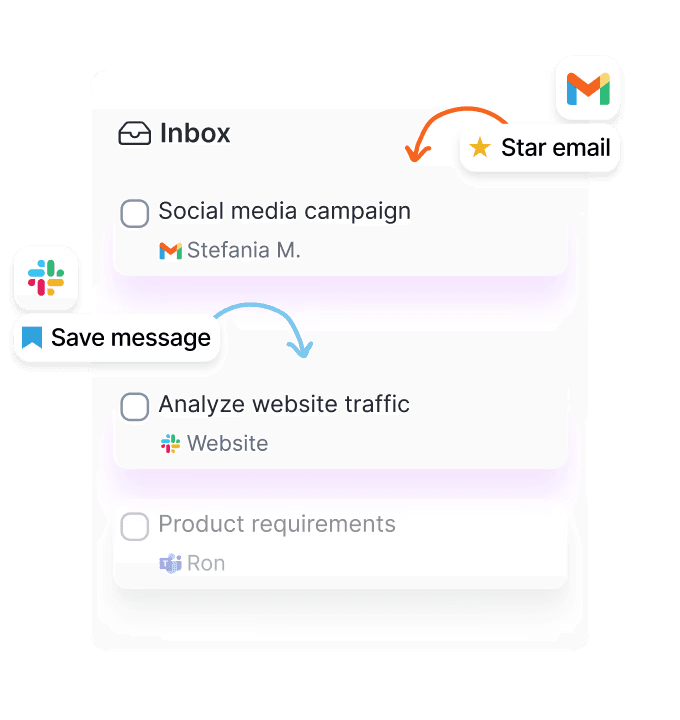
  1. Collect tasks from email, chat, and project tools in the Universal Inbox.

  2. Clarify the next action, duration, and priority.

  3. Drag the task onto a realistic open slot beside your meetings.

  4. Move the block when priorities change instead of abandoning the plan.

  5. Review unfinished work during the daily or weekly ritual.

Frequently asked questions

Is Akiflow a time-blocking app?

Yes. Akiflow combines tasks and calendars in one workspace so you can turn a task into a calendar block, protect focus time, and reschedule work when the day changes.

Does Akiflow automatically schedule every task?

Akiflow is designed to keep you in control of placement. Its planning tools and AI assistance can help, but it does not silently rearrange the calendar in the same way as a fully autonomous scheduler.

Is there a free Akiflow plan?

No. Akiflow offers a 7-day full-access trial that requires a card. Pro is $34 monthly or $19 per month billed yearly.

Which calendars does Akiflow support?

Akiflow supports Google Calendar and Outlook or Microsoft 365 calendars, including multiple connected accounts.

Build a plan you can actually finish

Try Akiflow for 7 days. A card is required, and there is no free plan.

7 days free. Cancel anytime.

Build a plan you can actually finish

Try Akiflow for 7 days. A card is required, and there is no free plan.

7 days free. Cancel anytime.

Build a plan you can actually finish

Try Akiflow for 7 days. A card is required, and there is no free plan.

7 days free. Cancel anytime.

Build a plan you can actually finish

Try Akiflow for 7 days. A card is required, and there is no free plan.

7 days free. Cancel anytime.