Skip to content

Akiflow the control-first
Morgen alternative

Unlike calendar-first scheduling tools like Morgen, Akiflow brings tasks, meetings, and AI support into one focused planner.

Tasks, meetings, calendar, all planned together.

  • Plan the day

  • Deep Focus

  • Meetings

  • Recharge

  • Deep work

  • Wrap-up

Planning beyond the calendar

Aki brings task context, meeting prep, and priorities into the schedule

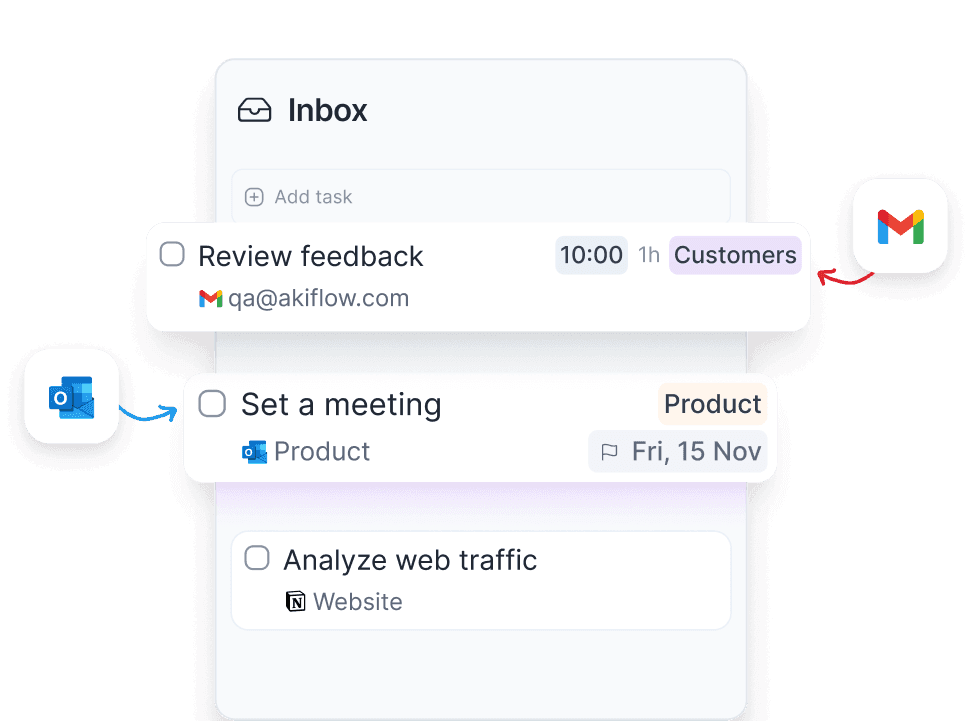
  • Unified Inbox

    Every task from every tool, in one place. No more context switching.

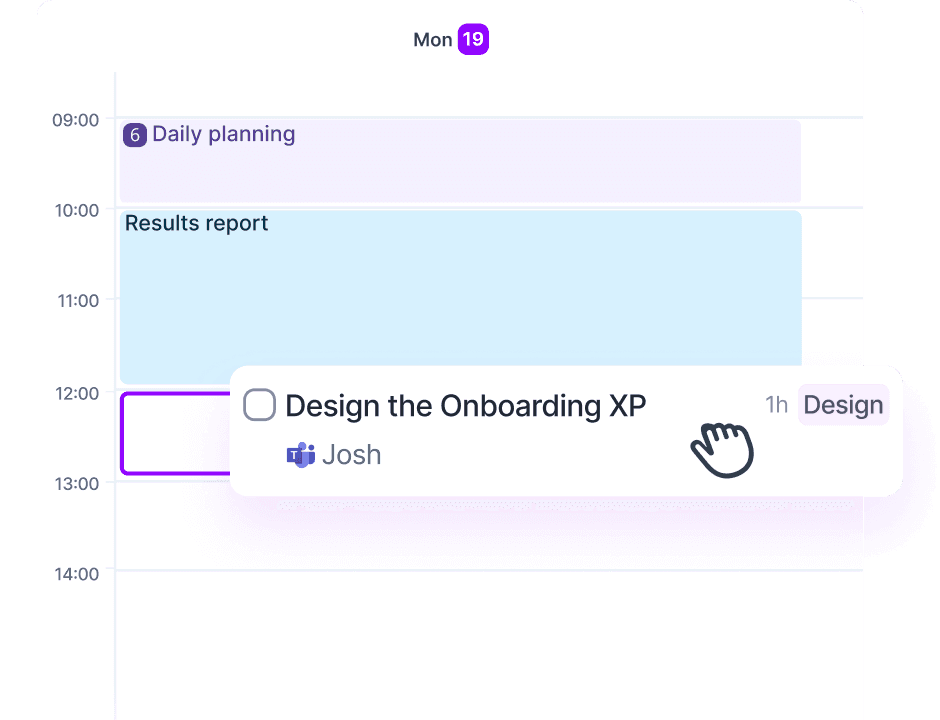
  • Time blocking

    See your day clearly. Drag tasks into calendar to protect focus time.

  • Offline mode

    That keeps your flow uninterrupted, even offline.

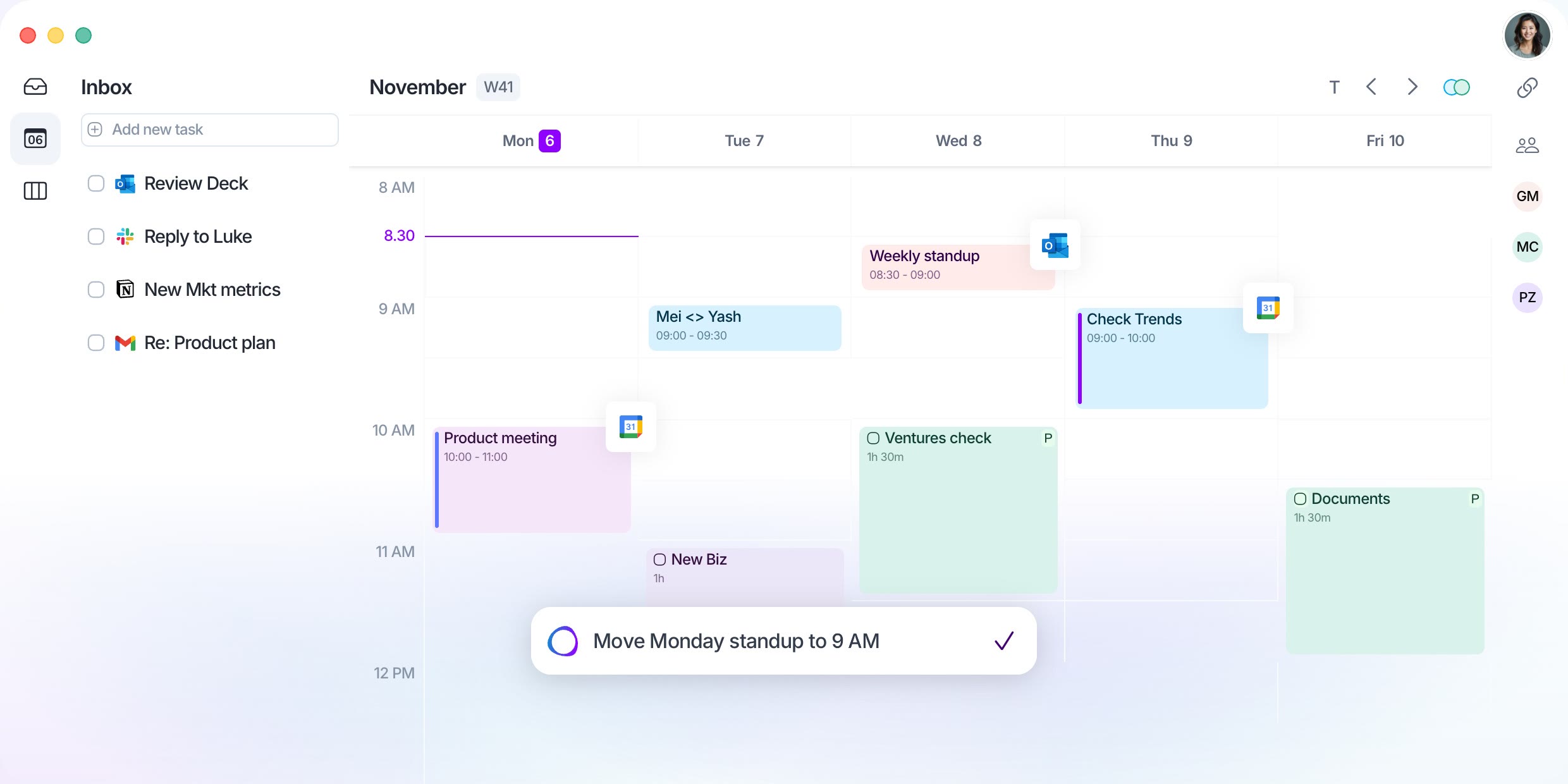
  • AI Executive Assistant

    Get intelligent suggestions. Accept what helps. Ignore what doesn't.

Try Akiflow for free

7 days free with Aki. Cancel anytime.

  • Powered by AI

  • Multi-device

  • Real-time notices

  • Cross-platform

The difference

Founders and doers switch to Akiflow
because it’s more than a calendar

Morgen is strong for calendar scheduling. Akiflow is built for execution across tasks, meetings, and priorities.

Calendar-first scheduling

Morgen scheduling approach

Scheduling starts from the calendar, while task triage and meeting context can still live in separate workflows.

  • Calendar-first workflow
  • Tasks need extra triage
  • Meeting prep stays separate
  • Less execution context

AI-assisted control

Akiflow execution approach

Aki helps you plan faster. You decide what goes where. Your calendar stays predictable.

  • AI suggests, you decide
  • Your schedule stays stable
  • You set the priorities
  • Full manual control always
Try Akiflow for free

7 days free with Aki. Cancel anytime.

Your control

Your calendar needs task context

Akiflow combines scheduling, tasks, meetings, and Aki so your plan reflects the work behind each event.

  • When work happens

    You decide the timing. AI never schedules on your behalf.

  • What gets prioritized

    AI provides context. The priority decision is yours.

  • How focus is protected

    Your focus blocks are sacred. They stay where you put them.

  • How your day flows

    Build your ideal day. Akiflow helps you stick to it.

Compare

Akiflow is designed for clarity.
Built for speed.

Both organize time. Akiflow also organizes the work that fills it.

Akiflow is designed for clarity. Built for speed.
Features Morgen Akiflow
AI task suggestions
Calendar integration
Universal inbox Task apps only
Manual scheduling control
Predictable daily plan
Focus time protection Calendar-first
Meeting prep One workspace
Tasks plus calendar Aki included
Try Akiflow for free

7 days free with Aki. Cancel anytime.

Try Akiflow for free

7 days free with Aki. Cancel anytime.

Apple Watch and iCloud comparison

Both apps connect to iCloud. Akiflow has a documented Watch companion for capture and completion; a native Morgen Watch app was not established by the sources reviewed.

FeatureAkiflowMorgen
Apple WatchNative capture and completionNative Watch app not confirmed
iCloud CalendarDirect two-way event connectionDirect iCloud connection

What should I check before switching?

Morgen documents iCloud Calendar support and offers AI planning and task integrations. Its current App Store listing does not establish a native Watch app. This is an evidence limit, not a claim that Morgen lacks every Apple workflow.

What are Akiflow's Apple setup limits?

The Watch companion captures and completes tasks and shows current/up-next information; it does not edit or reschedule tasks. It requires watchOS 10+ and a paired iPhone with Akiflow 2.83+. iCloud sync is periodic and covers calendar events, not Apple Reminders. Lock a task or Time Slot to publish it to an editable calendar.

Reviewed October 17, 2026. Unconfirmed means the official sources reviewed do not establish support; it does not prove that a feature is absent.

Official documentation: Morgen documentation; Morgen Apple support; Akiflow Apple Watch; Akiflow iCloud Calendar.

Natalie Natalie

"I have been using the software daily for the last several weeks and have noticed an improvement in my overall productivity."

Read full review by Natalie

The workflow

From calendar to execution in three steps

Connect calendars, capture tasks, and let Aki help prepare the day before work starts.

Akiflow capture in Inbox
Try Akiflow for free

7 days free with Aki. Cancel anytime.

Trusted by 10k+
professionals who plan their time intentionally

  • Multiple priorities Founders
  • Back-to-back meetings Operators
  • Deep work knowledge workers
  • Time-blocking lovers
  • Simon H. Simon H.

    Akiflow helps me structure and plan my day. It gives me clarity about upcoming work and what I can expect to get done.

  • Abi Shepherd Abi Shepherd

    Akiflow IS that tool. It works for my Autistic & ADHD brain perfectly! […] The team that run it are SO helpful and lovely!

  • Matilde Giglio Matilde Giglio Co-Founder @Even

    As a busy founder, I am finally able to simplify my task management and scheduling.

From companies like

Try Akiflow for free

7 days free with Aki. Cancel anytime.

  • Akiflow is designed in Italy
  • Backed by Y Combinator
Capterra rating: 4.7 out of 5

Get started

Set up in minutes

  • Create your projects

    It's just a step of the onboarding
  • Connect tools & Sync calendars

    Bring your existing work instantly
  • Keep your flow

    Set your workflows instantly
  • Enjoy Akiflow

    Be productive in under 30 minutes
Try Akiflow for free

7 days free with Aki. Cancel anytime.

  • -30%

    Less time spent preparing meetings

  • -30%

    Missed deadlines

  • 2hrs

    Saved every day

  • -40%

    Daily context switch

  • Better

    Work-life balance

  • More

    Energy after work

Get in control

Start with 7 days free, then let Akiflow connect every task, meeting, and calendar block.
Sign up and Book an onboarding call for free.

Try Akiflow for free

7 days free with Aki. Cancel anytime.

Sophie Sophie

"I really appreciate Akiflow for its ease of setup."

Read full review by Sophie

Get back in control of your days
with an AI Executive Assistant

Try Akiflow for free

7 days free with Aki. Cancel anytime.

F.A.Q.

How easy is it to migrate data to Akiflow?

It’s very easy and takes only a few moments. And as soon as you sign up for Akiflow, you can also book a free onboarding call with our Customer Support team. They’ll help you set up the app, build your workflows, and apply the best productivity methodology.

Does Akiflow support the same integrations?

Akiflow supports 10+ native integrations, including Google and Outlook/Microsoft Workspace, Notion, Jira, Slack, ClickUp, Trello, Zoom, Todoist, GitHub, Linear, and Teams. You can also connect additional tools through Zapier or IFTTT.

Is Akiflow free?

Akiflow is free for 7 days and includes Aki, the AI Executive Assistant.

Do you offer discounts?

Yes, Akiflow offers discounts for students. If you belong to any of these categories, please reach out to us for a discount by sending an email to support@akiflow.com. We'll be happy to assist you with the discounted pricing.

Additionally, we offer a yearly pricing plan that provides a 40% savings compared to the total cost of monthly pricing over a year. This is another great way to take advantage of our services at a reduced rate.

Try Akiflow for free

7 days free with Aki. Cancel anytime.